TLDR;
This video provides a comprehensive guide to Tesla voice commands, covering a wide range of functionalities from basic controls to Easter eggs. It categorizes commands into 15 sections for easy navigation and includes a downloadable document with all the commands mentioned.
- Apps and Browser Control
- Climate and Configuration Adjustments
- Entertainment and Navigation
- Car Controls and Easter Eggs
Intro [0:00]
Mike Seuss introduces a long-awaited video on Tesla voice commands, compiled over two years. The video aims to cover useful, funny, and surprising commands, with a promise of a part two for new commands released after this video. Viewers are encouraged to share any unmentioned commands in the comments. The video is divided into 15 categories, accessible via the chapter bar, and includes a downloadable document of all commands.
Apps [1:11]
Voice commands to open and close specific apps are detailed. "Open web" or "close web" commands control the web browser. "Show energy" opens the energy app. "Open phone" displays the call list and keyboard. "Show calendar" opens the calendar if the phone is connected.
Browser [1:48]
The video explains how to use voice commands to navigate the browser. "Go to website name" opens the browser and navigates to the specified website. "Search Google for" opens Google in the browser and searches for the specified term.
Bug Reports [2:27]
Voice commands for reporting issues are covered. "File bug report" sends a bug report to Tesla, and "report error" reports an error.
Climate Control [2:43]
The video details voice commands for climate control. "Turn on/off climate" toggles climate control. "Set driver/passenger temperature to X degrees" sets individual temperatures, with "low" and "high" as alternatives. "Activate bioweapon defense mode" turns on bioweapon defense mode, if equipped. "Turn on Camp mode" activates Camp mode. "Set fan to Auto/Manual" adjusts fan settings. "Keep climate on" maintains the current climate after exiting the car. "Cool down the passenger" reduces the passenger's temperature by 3 degrees. "Direct air flow to my face" enables face vents and sets climate to manual. "It's a doggy dog world" turns on Dog Mode. "How low can you go" sets the temperature to low. "I'm cold/hot" increases or decreases the temperature by 3 degrees. "Increase/decrease fan speed by X" adjusts fan speed. "Increase/decrease the temperature by X degrees" modifies the temperature. "Make me hot" sets the temperature to high. "My feet are cold/hot" turns on footwell vents. "Open/close climate" opens the climate control panel. "Set fan speed to level X" sets the fan speed to a specific level. "Move driver/passenger vents to Middle" adjusts airflow direction. "Sync driver to passenger" syncs climate settings. "Turn on/off climate sync" toggles temperature synchronization. "Change temperature to X degrees" sets the temperature for both driver and passenger. "Turn on/off windshield vent" controls the windshield vent. "I need some fresh air" turns off recirculation.
Configuration [6:54]
The video explains that saying specific commands will open the settings menu for each category.
Controls [7:00]
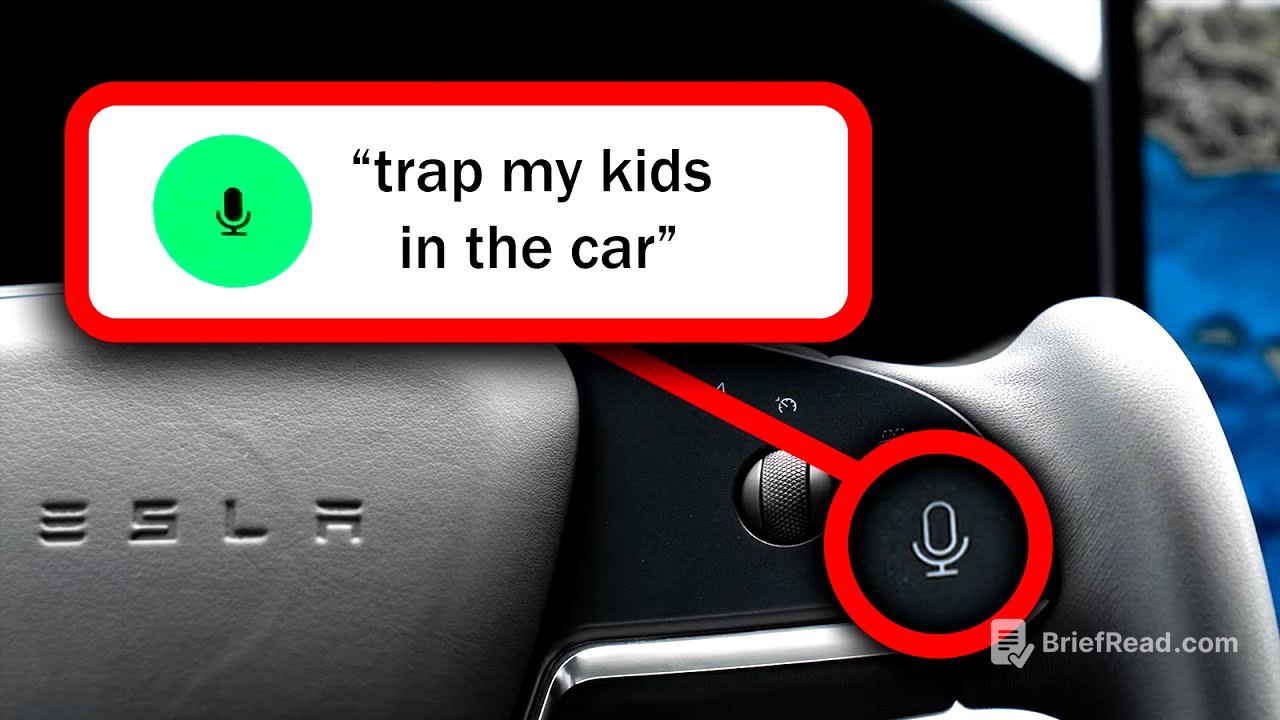
Voice commands for adjusting car settings are presented. "Show mirror settings" opens the mirror adjustment window. "Adjust steering wheel" opens the steering wheel adjustment window. "Fold/unfold mirrors" folds or unfolds the mirrors. "Screen is too dim" increases screen brightness by 30%. "Lock/unlock doors" controls door locks. "Lock/unlock windows" locks the rear window buttons. "Open frunk" opens the front trunk. "Open glove box" opens the glove box. "Open/close butthole" opens the charge port. "Open/close trunk" controls the rear trunk. "Record" saves dashcam footage. "Keep my car safe" activates Sentry Mode. "Change audio source to phone" switches to Bluetooth. "Show me the rear camera" displays the rear camera. "Stop dash cam" stops dashcam recording. "Trap my kids in the car" turns on child locks. "Unlock charge port" unlocks the charge port.
Heaters and Defrost [9:56]
Voice commands for heaters and defrost functions are detailed. "Defrost rear window" turns on the rear window defroster. "Defrost windshield" turns on the front window defroster. "Windshield defogger on" activates the windshield defogger.
Easter Eggs & Funny Commands [11:08]
The video covers Easter egg commands. "Ho ho ho" activates the Christmas Easter egg. "Eject driver/passenger seat" turns on the seat heater to max. "Fold those things" folds the mirrors. "Sing me a song" plays a random song. "Open PP hole" opens the charge port. "I got an itch" opens the software update release notes. "Open up that tree" opens the trunk. "Bye Felicia" pulls up the contact log. "Go down on me" decreases the temperature by 3 degrees. "Enable/disable life support" turns on or off the climate control.
Entertainment [12:27]
Voice commands for entertainment options are covered. "Enter entain me" opens the arcade. "Disney plus" opens Disney+. "Netflix" opens Netflix. "Open Twitch" opens Twitch. "Show Entertainment" opens the entertainment window. "Tesla tutorials" opens Tesla tutorials. "Theater" opens the theater. "YouTube" opens YouTube.
Heaters [13:46]
The video details voice commands for controlling seat heaters. "Set driver seat heater to high" sets the specified seat heater to high. "Front/rear seat heaters on/off" sets the appropriate seat heaters to high. "Give me one/two/three pieces of bacon on the driver/passenger seat" sets the corresponding seat heater to the specified intensity. "My butt is too hot/cold" adjusts the seat heater by one notch. "Seat heaters on" turns on all seat heaters to high. "Set front/rear seats to low/medium/high" sets the corresponding seat heater to the specified intensity. "Show seat heaters" opens the climate control panel. "My hands are cold" turns on the steering wheel heater.
Information [15:19]
Voice commands for accessing information are covered. "Show release notes" displays the release notes. "Hello Tesla" opens the specifications. "Open owner's manual" opens the owner's manual. "Show me tutorial" pulls up tutorial videos. "Show/hide odometer" displays trip settings. "Show/hide tire pressures" displays tire pressures. "What can you do" opens the browser to the voice commands web page.
Media [16:27]
Voice commands for media playback are detailed. "Pause/resume" pauses or resumes playback. "Change to Spotify/radio/Bluetooth" changes the audio source. "Increase/decrease volume by X" adjusts the volume. "Set volume to numbers 1 to 11" sets the volume to a specific level. "Mute/unmute" mutes or unmutes the audio. "Open/close music" opens or closes the media player. "Play song/artist/playlist" plays the specified media. "Back that blank up" changes the song.
Navigation [17:45]
The video explains voice commands for navigation. "Let's go home/work" sets navigation to home or work. "Where are the supercharger stations" displays nearby supercharger stations. "I need a drink" brings up a list of local bars. "Cancel/stop Navigation" cancels the current navigation. "Drive to blank" sets navigation to the specified address. "What can I eat" brings up a list of restaurants. "Gas" brings up a list of gas stations. "Go to airport" shows a list of airports. "I'd like a burger please" displays nearby burger restaurants. "Museums" brings up a list of museums. "Mute/unmute voice guidance" mutes or unmutes navigation voice guidance. "On the road again" turns satellite visualization off. "Showmap" makes the map full screen. "Show McDonald's" displays nearby locations. "Show/hide satellite view" toggles the traffic display. "Take me to Target" shows a list of nearby Target locations. "Zoom in/out on the map" zooms in or out on the map.
Phone [20:34]
Voice commands for phone functions are covered. "Call/phone contact name/number" calls the specified contact. "Open/close phone" opens or closes the call menu. "Show phone messages" displays the call menu. "Text name/number" sends a text to the specified contact.
Wipers [21:11]
The video details voice commands for controlling windshield wipers. "Set wipers to 1/2/3/4/Auto/Off" sets the wiper speed. "Slow down/speed up windshield wipers" changes the wiper speed. "Wipers Auto" sets wipers to auto. "Wipers Max" sets wipers to the highest speed. "Wipers medium fast" sets wipers to speed two. "Wipers Min" sets wipers to the lowest speed. "Wipers on/off" turns wipers on or off. "Wiper slow" slows the wipers by one level.
Outro [22:18]
Mike Seuss concludes the video, thanking viewers and encouraging them to share additional voice commands in the comments. He reminds viewers to use the link in the description for a printable version of the command list and encourages viewers to like the video and subscribe for more Tesla content.