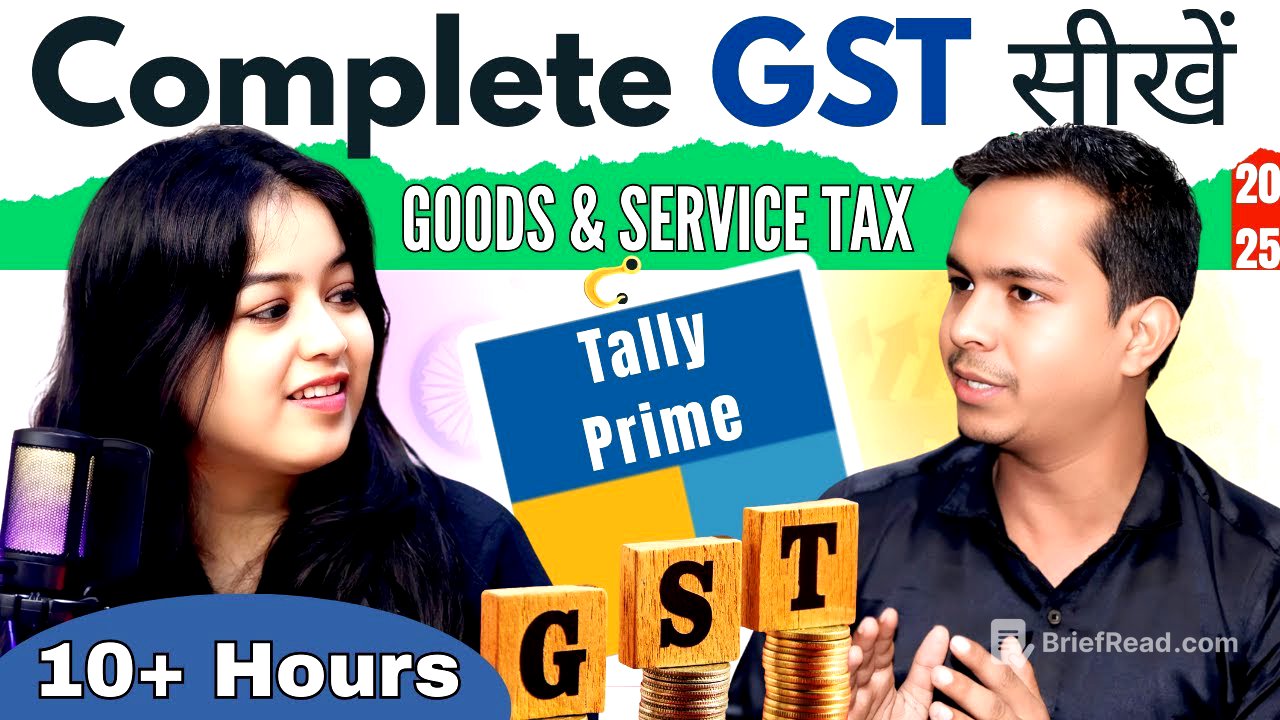
TLDR;
This YouTube video provides a comprehensive 9-hour tutorial on GST (Goods and Services Tax) using Tally Prime software. It covers basic to advanced GST concepts, practical applications, and report generation. The tutorial includes GST introduction, dealer types, registration, supply types, GST types, HSN/SAC codes, company creation with GST, ledger creation, various purchase and sales scenarios, debit/credit notes, composition schemes, mixed supply entries, e-way bills, GST with cess, advance receipts, input tax credit, reverse charge mechanism, multi-GST registration, GST reports, and GST returns.
- Comprehensive GST coverage from basic to advanced levels.
- Practical examples and scenarios using Tally Prime.
- Includes GST returns filing information.
- Provides free data sets for practice.
Introduction [0:00]
The video introduces a comprehensive GST tutorial covering both theoretical and practical aspects using Tally Prime. It promises to cover everything from basic GST concepts to advanced topics, including GST returns. The presenter highlights that the tutorial is designed for both beginners and those with some existing GST knowledge, with time stamps provided for easy navigation to specific topics. Free data sets, including invoices and presentations used in the tutorial, are available on the Accounts Expert app for viewers to practice along.
syllabus overview [3:16]
The video outlines the GST syllabus, which includes basic and advanced theory, practical exercises, and report generation within Tally Prime. The basic theory covers GST introduction, types of dealers (regular, composition, CTP, NRTP, e-commerce, ISD), GST registration (threshold limits, GSTIN structure), types of supply (taxable, exempt, nil-rated, mixed, composite, inward, outward), types of GST (IGST, CGST, SGST, UTGST), and HSN/SAC codes. The practical section includes GST registration in Tally, ledger creation, purchase transactions (nil-rated, exempt, taxable, multi-rated), sales transactions, goods returns (debit/credit notes), composition dealer transactions, and mixed supply entries. The advanced GST practical section covers advance receipts, e-way bills, GST with cess, RCM, and multi-GST registration. The final part covers GST reports and returns filing.
Gst Introduction [14:30]
The chapter introduces GST as a tax and discusses the broader concept of taxes as a primary income source for governments to run the nation. It explains the two main types of taxes: direct and indirect. Direct taxes are levied on income and paid directly to the government, while indirect taxes are levied on goods and services and collected through intermediaries. GST is an indirect tax implemented in India on July 1, 2017, and it combines various indirect taxes into a single tax. It operates on a unified tax structure with slab rates of 0%, 5%, 12%, 18%, and 28%. GST is a destination-based tax, meaning the revenue goes to the state where the goods or services are consumed. Assam was the first state in India to implement GST.
types of dealers [21:04]
This section discusses the different types of GST dealers, including regular dealers, composition dealers, casual taxable persons, non-resident taxable persons, input service distributors (ISD), and e-commerce operators. Regular dealers can conduct business both within and outside their state, charge GST on their invoices, and claim input tax credit (ITC). Composition dealers are typically small businesses that can only operate within their state, cannot charge GST on invoices, and cannot claim ITC; they pay a fixed percentage of their turnover as tax. Casual taxable persons are temporary businessmen who operate in different states, require permission from the government, and receive a temporary GST number valid for 90 days. Non-resident taxable persons are similar to casual taxable persons but reside outside India. ISDs distribute ITC to their branches, and e-commerce operators facilitate online businesses. A chart summarizes the characteristics of each dealer type, including ITC eligibility, invoice type, return filing frequency, and special conditions.
turnover limit [35:17]
The chapter explains the turnover limits for GST registration, differentiating between regular and composition dealers. For regular dealers engaged in supplying goods, the turnover limit is ₹40 lakh, while for those providing services, it is ₹20 lakh. If the turnover exceeds these limits, GST registration is mandatory. However, if a regular dealer conducts business in different states, GST registration is mandatory regardless of the turnover limit. For composition dealers, the turnover limit is also ₹40 lakh for goods and ₹20 lakh for services. The video also touches on special states where these limits may vary. Casual taxable persons, non-resident taxable persons, and e-commerce sellers are required to register for GST regardless of their turnover.
gst registration [49:56]
This section details the process of GST registration on the government's GST portal (www.gst.gov.in). It explains how to navigate the portal, select the appropriate dealer type (taxpayer, TDS, TCS, GST practitioner, non-resident, etc.), and fill in the required information, such as state, district, business name, and PAN details. The process involves generating a Temporary Reference Number (TRN) via OTP verification and subsequently obtaining an Application Reference Number (ARN). After verification, a 15-digit GSTIN (Goods and Services Tax Identification Number) is allotted within seven working days. The structure of the GSTIN is explained, including the state code, PAN, entity code, and checksum digit.
types of supply [57:47]
The chapter discusses the different types of supply under GST, including taxable supply, exempt supply, nil-rated supply, zero-rated supply, non-GST supply, composite supply, inward supply, outward supply, interstate supply and intrastate supply. Taxable supplies are those on which GST is levied, excluding the 0% slab. Exempt supplies are those that are exempt from GST, such as fresh fruits and vegetables, education, and healthcare. Nil-rated supplies are those that attract 0% GST, such as salt and unbranded atta. Zero-rated supplies include exports and supplies to Special Economic Zones (SEZ), where no GST is charged, but ITC can be claimed. Non-GST supplies are outside the scope of GST, such as alcohol for human consumption and petrol. Composite supplies are naturally bundled supplies where a principal supply determines the GST rate for the entire supply. Inward and outward supplies refer to purchases and sales, respectively. Interstate and intrastate supplies refer to transactions between different states and within the same state, respectively.
types of gst [1:28:23]
The chapter explains the four types of GST: IGST (Integrated Goods and Services Tax), CGST (Central Goods and Services Tax), SGST (State Goods and Services Tax), and UTGST (Union Territory Goods and Services Tax). IGST is levied on interstate supplies, with the revenue initially going to the central government. CGST and SGST are levied on intrastate supplies, with the revenue divided between the central and state governments. UTGST is levied in Union Territories. The chapter uses the example of a mobile phone with an 18% GST rate to illustrate how these taxes are applied in different scenarios.
hsn & sac code [1:43:17]
This section explains HSN (Harmonized System of Nomenclature) and SAC (Services Accounting Code) codes. HSN codes are used to classify goods, while SAC codes are used to classify services. HSN codes can be 4, 6, or 8 digits, depending on the business's turnover and whether the transaction involves exports or imports. SAC codes are always 6 digits and typically start with "99". The video demonstrates how to search for HSN codes on the GST portal and provides examples of how these codes are used in different industries.
company create with gst [2:02:51]
This chapter demonstrates how to create a company in Tally Prime with GST details. It involves navigating to the company creation option, filling in the company's name, address, state, and contact information. The presenter emphasizes the importance of accurately entering the company's GSTIN (Goods and Services Tax Identification Number) and selecting the appropriate type of dealer (regular or composition). The chapter also covers setting the GST registration details, such as the GSTIN, and enabling e-way bill applicability. The presenter advises against using the "Set/alter company GST rate and other details" option for businesses with varied GST rates, as it is more suitable for businesses with a limited range of products or services with the same GST rate.
ledger creation [2:14:06]
The chapter explains how to create ledgers in Tally Prime for GST transactions. It emphasizes the importance of creating specific ledgers for different types of purchases (nil-rated, taxable at various rates, exempt, multi-rated) and sales to facilitate accurate reporting. The presenter advises against using a generic "Purchase Account" and instead recommends creating detailed ledgers like "Purchase Nil Rated 0%," "Purchase Taxable 5%," etc. Similarly, for sales, specific ledgers such as "Sales Nil Rated 0%" and "Sales Taxable 5%" should be created. The chapter also covers creating GST ledgers (CGST, SGST, IGST) and distinguishes between input (for purchases) and output (for sales) GST ledgers.
nill rated & exempt purchase [2:30:44]
This section demonstrates how to record nil-rated and exempt purchases in Tally Prime. It begins by creating a purchase voucher and selecting the appropriate supplier. The presenter emphasizes the importance of accurately entering the supplier's details, including their GSTIN and address. For nil-rated purchases, the "Purchase Nil Rated" ledger is selected, and the item details, such as wheat flour, are entered. The presenter highlights that no GST is applied in this case. For exempt purchases, a similar process is followed, but the "Purchase Exempt" ledger is selected. The presenter also demonstrates how to view the tax analysis to confirm that no GST is being applied to these transactions.
taxable purchase [3:11:45]
The chapter demonstrates how to record taxable purchases in Tally Prime, where GST is applicable. The presenter creates a purchase voucher, selects the supplier, and chooses the "Purchase Taxable" ledger with the appropriate GST rate (e.g., 18%). The item details, such as LED TV and mixer grinder, are entered, and the GST is automatically calculated based on the specified rate. The presenter emphasizes the importance of accurately selecting the GST ledger (CGST, SGST, or IGST) based on whether the transaction is intrastate or interstate. The tax analysis feature is used to verify the GST calculation.
Multi rated purchase [3:35:54]
This section explains how to record multi-rated purchases in Tally Prime, where a single invoice includes items with different GST rates. The presenter creates a purchase voucher, selects the supplier, and chooses the "Purchase Multi Rated" ledger. The item details, such as a keyboard (12% GST) and a graphics card (28% GST), are entered, and the GST is automatically calculated for each item based on its respective rate. The tax analysis feature is used to verify the GST calculation for each item.
Nill Rated & exempt Sale [3:54:41]
The chapter demonstrates how to record nil-rated and exempt sales in Tally Prime. It involves creating a sales voucher, selecting the customer, and choosing the "Sales Nil Rated" or "Sales Exempt" ledger. The item details, such as wheat flour or printed books, are entered, and the presenter highlights that no GST is applied in these cases. The tax analysis feature is used to confirm that no GST is being applied to these transactions.
taxable sale invoice [4:16:02]
This section explains how to record taxable sales invoices in Tally Prime, where GST is applicable. The presenter creates a sales voucher, selects the customer, and chooses the "Sales Taxable" ledger with the appropriate GST rate. The item details are entered, and the GST is automatically calculated based on the specified rate. The presenter emphasizes the importance of accurately selecting the GST ledger (CGST, SGST, or IGST) based on whether the transaction is intrastate or interstate.
Multi rated sale [4:32:53]
The chapter demonstrates how to record multi-rated sales in Tally Prime, where a single invoice includes items with different GST rates. The presenter creates a sales voucher, selects the customer, and chooses the "Sales Multi Rated" ledger. The item details are entered, and the GST is automatically calculated for each item based on its respective rate. The tax analysis feature is used to verify the GST calculation for each item.
debit note [4:44:46]
This section explains how to record debit notes in Tally Prime, which are used to account for purchase returns. The presenter outlines different scenarios, such as returning goods due to defects or excess quantity. The chapter emphasizes the importance of adjusting the original purchase bill and accounting for GST implications. The presenter demonstrates how to create a debit note voucher, select the supplier, and enter the details of the returned items. The chapter also covers how to handle situations where the supplier does not offer a refund but instead allows the buyer to purchase other goods in exchange.
credit note [5:13:59]
The chapter explains how to record credit notes in Tally Prime, which are used to account for sales returns. The presenter outlines different scenarios, such as customers returning goods due to defects or excess quantity. The chapter emphasizes the importance of adjusting the original sales bill and accounting for GST implications. The presenter demonstrates how to create a credit note voucher, select the customer, and enter the details of the returned items. The chapter also covers how to handle situations where the customer does not receive a refund but instead purchases other goods in exchange.
composition scheme [5:27:23]
This section explains how to record transactions with composition dealers in Tally Prime. It covers both purchasing from and selling to composition dealers. When purchasing from a composition dealer, the presenter emphasizes that the supplier must be from the same state and will not charge GST on the invoice. When selling to a composition dealer, the presenter highlights that the customer can be from any state, but GST must be charged on the invoice. The chapter provides step-by-step instructions on how to record these transactions in Tally Prime, ensuring that the appropriate GST ledgers are selected and that the correct tax calculations are applied.
mixed supply entry [5:45:16]
The chapter explains how to record mixed supply entries in Tally Prime. It begins by defining mixed supply as a combination of goods or services sold together as a single package, where the items are not naturally bundled. The presenter uses the example of a gift hamper containing different items with varying GST rates. The chapter emphasizes that the GST rate for the entire mixed supply is determined by the item with the highest GST rate. The presenter demonstrates how to create a stock item for the mixed supply, define the components using a bill of materials (BOM), and record the sale in Tally Prime, ensuring that the correct GST rate is applied.
e-way bill [6:04:21]
This section explains the concept of e-way bills under GST and how to generate them. An e-way bill is an electronic document required for the movement of goods exceeding ₹50,000 in value. The presenter outlines the key details required for generating an e-way bill, such as the consignor and consignee details, the transporter's information, and the goods' description, HSN code, and taxable value. The presenter also explains the validity of e-way bills based on distance and the consequences of not generating an e-way bill. The chapter demonstrates how to enable e-way bill applicability in Tally Prime and how to fill in the necessary details during a sales transaction.
gst with cess [6:27:23]
The chapter explains the concept of cess under GST, which is an additional tax levied on certain goods and services. The presenter notes that cess is typically applied to specific items like coal, tobacco, aerated drinks, and luxury cars. The chapter highlights that cess is levied on top of GST and that the revenue generated from cess is used to compensate state governments for any revenue losses due to GST implementation. The presenter demonstrates how to record transactions involving cess in Tally Prime, including creating a cess ledger and applying it to the relevant items.
advance receipt [6:45:59]
This section explains how to handle GST on advance receipts, focusing on the rules applicable to services. It highlights that GST must be paid on advance payments received for services. The chapter outlines three scenarios: same-month adjustment, next-month adjustment, and order cancellation. For same-month adjustments, the advance payment is adjusted against the service provided within the same month. For next-month adjustments, the tax liability is increased in the month the advance is received and adjusted in the following month when the service is provided. If the order is canceled, the tax liability is reversed. The presenter demonstrates how to record these transactions in Tally Prime, including enabling the necessary settings, creating ledgers, and adjusting tax liabilities.
Input tax credit [7:25:13]
The chapter explains the concept of Input Tax Credit (ITC) and its calculation. ITC is the credit a business can claim for the GST paid on its purchases. The presenter differentiates between ITC and tax liability, explaining that tax liability is the amount a business owes to the government from the GST collected on its sales. The chapter outlines the formula for setting off ITC, which involves prioritizing the settlement of IGST, CGST, and SGST liabilities. The presenter demonstrates how to calculate ITC and set off liabilities using Tally Prime, emphasizing the importance of accurate record-keeping and proper ledger creation.
RCM [7:54:46]
This section explains the Reverse Charge Mechanism (RCM) under GST, where the recipient of goods or services is liable to pay GST instead of the supplier. The presenter notes that RCM applies to specific goods and services when purchased from unregistered dealers or when certain notified services are availed. The chapter demonstrates how to record RCM transactions in Tally Prime, including increasing the tax liability and claiming the input tax credit. The presenter emphasizes the importance of accurately identifying RCM-applicable transactions and following the correct accounting procedures.
multi gst registration [8:09:36]
The chapter explains how to manage multiple GST registrations within a single company in Tally Prime. This scenario arises when a company has branches in different states, each with its own GSTIN. The presenter demonstrates how to create a new company in Tally Prime and then add multiple GST registrations for different states. The chapter also covers how to create separate voucher types for each state to ensure accurate tracking of transactions and reporting.
GST reports [8:27:07]
This section explains how to generate and interpret GST reports in Tally Prime. The presenter highlights the importance of reviewing GST reports to ensure accuracy and compliance. The chapter covers various reports, including GSTR-1 (outward supplies), GSTR-2A/2B (inward supplies), and GSTR-3B (summary return). The presenter demonstrates how to access these reports in Tally Prime and how to identify and resolve any discrepancies or errors.
gst returns [8:49:07]
The chapter provides an overview of the different GST returns filed in India, specifying which returns are applicable to different types of dealers. It covers returns such as GSTR-1, GSTR-3B, GSTR-4, GSTR-5, GSTR-6, GSTR-7, and GSTR-8, outlining their purposes and due dates. The presenter emphasizes the importance of understanding which returns are applicable to a specific business and adhering to the filing deadlines to avoid penalties.