TLDR;
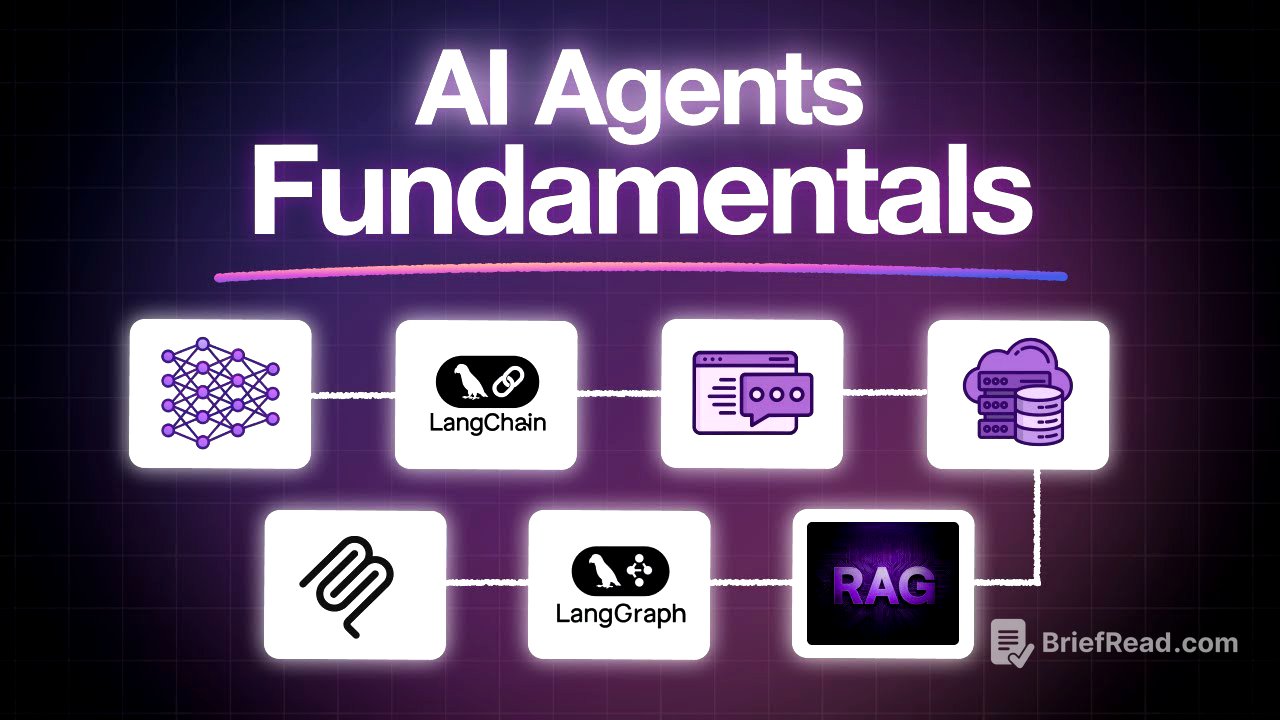
This video provides a comprehensive overview of AI agents, covering fundamental concepts and practical applications. It explains how large language models (LLMs) work, the importance of context windows and embeddings, and how LangChain and LangGraph facilitate the creation of AI agents. The video also explores prompt engineering techniques, vector databases, retrieval-augmented generation (RAG), and the Model Context Protocol (MCP). Through practical labs, viewers learn to build AI APIs, semantic search engines, and stateful AI workflows, ultimately demonstrating how to transform static documents into intelligent systems.
- LLMs process requests using transformer models trained on vast datasets.
- Embeddings convert text into numerical vectors, capturing semantic similarity.
- LangChain simplifies AI agent creation with pre-built components and standardized interfaces.
- Prompt engineering techniques enhance the quality of AI responses.
- Vector databases enable efficient retrieval of information based on meaning.
- RAG combines retrieval and generation to provide up-to-date and context-aware answers.
- LangGraph extends LangChain to handle complex multi-step workflows.
- MCP allows AI agents to seamlessly integrate with external tools and databases.
Introduction to AI Agents [0:00]
The video introduces the current landscape of AI, highlighting key concepts such as prompt engineering, context windows, embeddings, RAG, vector databases, MCPs, agents, LangChain, and LangGraph. It aims to provide a comprehensive understanding of these concepts through a single project, starting with AI fundamentals and progressing to RAG, vector databases, LangChain, LangGraph, MCP, and prompt engineering, culminating in a complete system.
How LLMs work in real time? [0:40]
Large language models (LLMs) answer questions using transformer models trained on vast datasets, potentially containing tens of trillions of tokens from diverse domains. To enable LLMs to answer questions about specific internal documents, data can be added to the conversation history within a context window. Context windows, measured in tokens (approximately 3/4 of a word), have size limits that vary by model, ranging from 2,000-4,000 tokens in smaller models to 1 million tokens in larger models. Choosing the right model depends on the task; larger context windows are suitable for processing large documents, while smaller models offer faster responses for smaller documents. LLMs also face limitations in effectively using all the information within the context window, as irrelevant information can hinder their ability to provide accurate answers.
Embeddings & Vector Representations [4:56]
Embeddings transform text into numerical vectors, capturing semantic similarity. An embedding model converts text into a vector, typically of 1536 numbers, representing its meaning. Similar concepts have mathematically close vectors. This allows finding relevant documents based on meaning, not just exact words. For example, a system can find the dress code policy even if a user asks about wearing jeans to work, without the policy specifically mentioning "jeans."
How LangChain works? [5:56]
LangChain is an abstraction layer that simplifies the creation of AI agents by addressing common pain points with pre-built components and standardized interfaces. Unlike static LLMs, agents have autonomy, memory, and tools to perform tasks. LangChain offers components like chat models for accessing LLM providers, memory savers for managing chat history, standardized interfaces for vector database integration, text embedding components, and tool integration for accessing external systems. LangChain reduces the complexity of building AI applications by managing API connections, vector databases, embedding pipelines, semantic search logic, state management, memory systems, and tool routing.
Practice Labs - Your First AI API Call [10:12]
This lab guides users through making their first AI API calls, focusing on connecting to and understanding responses from OpenAI's APIs. It begins with environment verification, ensuring Python and the OpenAI library are installed and API keys are set. The lab introduces OpenAI and its models, then guides users through importing necessary libraries, setting up authentication, and initializing the API client. Users then make an API call to the chat completions endpoint, configure the model, role, and content, and extract the AI's response. The lab also covers understanding the structure of the response object, extracting token usage values, and calculating costs, providing a solid foundation for working with AI APIs.
Practice Labs - LangChain [14:57]
This lab explores LangChain and its ability to simplify working with multiple AI providers. It begins with environment verification, ensuring LangChain and its dependencies are installed and API keys are validated. The lab compares the traditional OpenAI SDK approach with LangChain, demonstrating a significant reduction in boilerplate code. It showcases multi-model support by configuring OpenAI, Google's Gemini, and XAI's Gro with the same class and structure, allowing for easy A/B testing and cost balancing. The lab also introduces prompt templates for creating reusable prompts with placeholders, output parsers for transforming responses into structured objects, and chain composition for building AI pipelines with a pipe operator.
Prompt Engineering Techniques [17:57]
Prompt engineering involves crafting effective prompts to elicit high-quality responses from AI agents. Specific prompts lead to more accurate results. Techniques include zero-shot, one-shot, few-shot, and chain-of-thought prompting. Zero-shot prompting asks the AI to perform a task without examples, relying on its existing knowledge. One-shot and few-shot prompting provide examples of how the agent should respond. Chain-of-thought prompting provides a series of steps for the model to follow in solving a problem, offering a blueprint for the LLM to fix issues accordingly.
Practice Labs - Master Prompt Engineering [21:21]
This lab focuses on mastering prompt engineering techniques using LangChain to address issues such as vague or inconsistent AI responses. It begins with environment verification, ensuring LangChain and OpenAI integrations are installed. The lab introduces zero-shot prompting, comparing vague instructions with specific prompts. It then moves to one-shot prompting, providing a single example for the AI to follow, and few-shot prompting, providing multiple examples to teach the model tone, patterns, and style. The lab also covers chain-of-thought prompting, encouraging the AI to show its reasoning step by step. The lab concludes with a head-to-head comparison of these techniques, highlighting their strengths and demonstrating how the right technique can dramatically improve results.
Vector Databases Deep Dive [24:46]
Vector databases store data by meaning rather than value, enabling semantic search. Instead of relying on exact keyword matches, vector databases allow searching based on the meaning of the words in a query. Popular implementations include Pinecone and Chroma. Setting up a vector database involves converting values into semantic meanings stored as embeddings. Key concepts include dimensionality, scoring, and chunk overlap. Dimensionality captures the intricacies of word meanings, while scoring sets a threshold for similarity to ensure proper matches. Chunk overlap preserves context when chunking documents for storage.
Practice Labs - Build Semantic Search Engine [31:27]
This lab guides users through building a semantic search engine to improve search accuracy by understanding meaning, not just words. It begins with environment setup, installing libraries such as sentence transformers, LangChain, and ChromaDB. The lab explains embeddings, which convert text into numerical vectors, allowing similar meanings to be close in mathematical space. Users then put embedding into action, initializing a model, encoding queries and documents, and calculating similarity. The lab also covers document chunking with overlapping chunks to preserve meaning, and the use of ChromaDB as a vector store for efficient storage and search. The lab concludes by bringing everything together with semantic search, implementing a full pipeline to convert user queries into embeddings, search the Chroma store, and retrieve relevant document chunks.
RAG (Retrieval Augmented Generation) [35:15]
Retrieval-augmented generation (RAG) involves fitting relevant documents into the AI's context window to generate output. RAG consists of three steps: retrieval, augmentation, and generation. Retrieval involves converting the document and the question into vector embeddings and comparing them using semantic search. Augmentation involves injecting the retrieved data into the prompt at runtime, allowing the AI to rely on up-to-date information. Generation involves the AI generating a response based on the semantically relevant data retrieved from the vector database.
Practice Labs - RAG Implementation [38:14]
This lab focuses on enhancing a semantic search system by adding AI-powered generation to answer user questions directly. It begins with environment setup, installing ChromaDB, sentence transformers, and LangChain integrations. The lab guides users through setting up the vector store, processing documents with paragraph-based chunking and smart overlaps, and integrating an LLM. It also covers prompt engineering for RAG, building a structured prompt template that ensures context is included. The lab concludes by implementing a complete RAG pipeline, embedding the user query, searching ChromaDB, retrieving top chunks, building a context-aware prompt, and generating an answer using the LLM, with source attribution.
LangGraph for AI Workflows [42:14]
LangGraph extends LangChain to handle more complex multi-step workflows, conditional branching, and iterative processes. In LangGraph, each node handles a specific responsibility, and edges define the execution flow. A state graph stores information throughout the workflow, allowing nodes to update relevant state variables. This creates capabilities for iterative analysis, conditional branching, and persistent state that maintains context across the entire workflow.
Practice Labs - Build Stateful AI Workflow [45:51]
This lab dives into LangGraph, a framework for building stateful multi-step AI workflows. It begins with environment setup, installing LangGraph, LangChain, and OpenAI integration. The lab introduces essential imports, such as state graph and type dict, to define the data that flows through the workflow. Users then create their first nodes, which are Python functions that take state as inputs and return partial updates. The lab covers edges, which are the connections between nodes, and demonstrates how to build a multi-step flow. It also introduces conditional routing, where the system decides dynamically based on the state, and tool integration, adding a calculator tool. The lab concludes by putting everything together into a research agent, combining the calculator with a web search tool.
Model Context Protocol (MCP) [48:51]
Model Context Protocol (MCP) functions like an API but with self-describing interfaces that AI agents can understand and use autonomously. Unlike traditional APIs, MCP puts the burden on the AI agent rather than the developer. When an MCP server starts, it establishes a connection with the AI agent, enabling powerful integration with external systems like customer databases, support tickets, and inventory databases. A community of MCP developers might have written custom MCP servers for popular tools, which can be used directly on an agent without writing code.
Practice Labs - Advanced MCP Concepts [51:56]
This lab explores MCP, model context protocol, and how to extend LangGraph with external tools. It begins with the environment setup, installing LangGraph, LangChain, and LangChain OpenAI. The lab provides a conceptual overview of the MCP architecture, explaining that the MCP protocol acts as a bridge between an AI assistant built with LangGraph and external tools. Users then create their first MCP server, initializing a server called calculator and defining a function as a tool. The lab covers integrating MCP with LangGraph, connecting the calculator server to an agent, and scaling things up with multiple MCP servers, such as a weather service.
Conclusion [55:21]
The video concludes by highlighting the benefits of the AI document assistant, including complex document search, higher accuracy using context-aware semantic search, and a user-friendly chat application UI. The shift from static documents to living intelligent systems marks a turning point for businesses, enabling them to unlock the full value of their knowledge using agents.