TLDR;
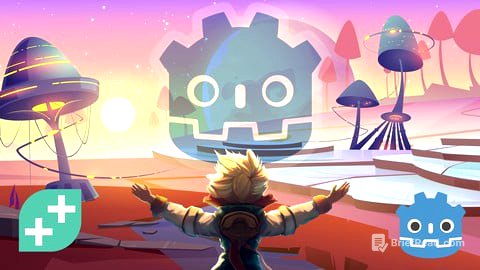
This course, "Complete Godot 2D: Develop Your Own 2D Games Using Godot 4," teaches you how to create 2D games using the Godot 4 game engine and GDScript. It covers fundamental concepts like Nodes, Scenes, Scripting, and Signals, as well as programming basics such as if statements, loops, and functions. By building three different games, you'll learn to use Tilemaps, animation players, and other essential nodes.
- Learn Godot 4 fundamentals by creating 2D games.
- Master GDScript and basic programming concepts.
- Build three games: Speedy Saucer, Alien Attack, and Martian Mike.
Introduction & Setup
This section welcomes you to the course and guides you through downloading Godot, creating a project, and exploring the Godot interface. It also provides information on community and support resources and how to access your projects.
Speedy Saucer
This section introduces the fundamentals of Godot through the creation of a collision avoidance game called "Speedy Saucer." You'll learn about project setup, Nodes and Scenes, RigidBody2D and Collision Shapes, instancing scenes, editing instances, parent-child relationships, draw order and Z index, and an introduction to scripting. The section also covers functions, printing text, number operations, variables, function parameters, Vector2, apply_impulse, processing, apply_force, if statements, comparison operators, getting input, variable scope, function return values, following the player with Camera2D, making the maze, using signals to reset the game, parallax background, and text labels.
Alien Attack
In this section, you'll develop a 2D side-scrolling space shooter game called "Alien Attack." Topics covered include project setup, creating the player scene, player movement, clamping player position, rocket scene and movement, understanding delta time, shooting rockets, creating references to nodes, deleting unwanted rockets, enemy scene and movement, enemy spawner scene, spawn enemy function, shooting enemies and collision layers, enemy deathzone, lives and custom signals, scoring and enemy died signal, score UI, lives UI, game over screen, adding sound effects, flame particle effect, path enemy, and adding path enemy to the spawner.
Martian Mike
This section focuses on creating a 2D platformer game called "Martian Mike." You'll learn about animated sprites, player movement, boolean operators, updating animations, deathzones, jump pads, traps, animation player, arrays and groups, the for loop, Tilemap basics, Tilemap terrains, scrolling backgrounds, start area, exit area, changing scenes, creating more levels, level timer, timer HUD, win screen, start menu, level design, autoloads, and one-time sound effects.