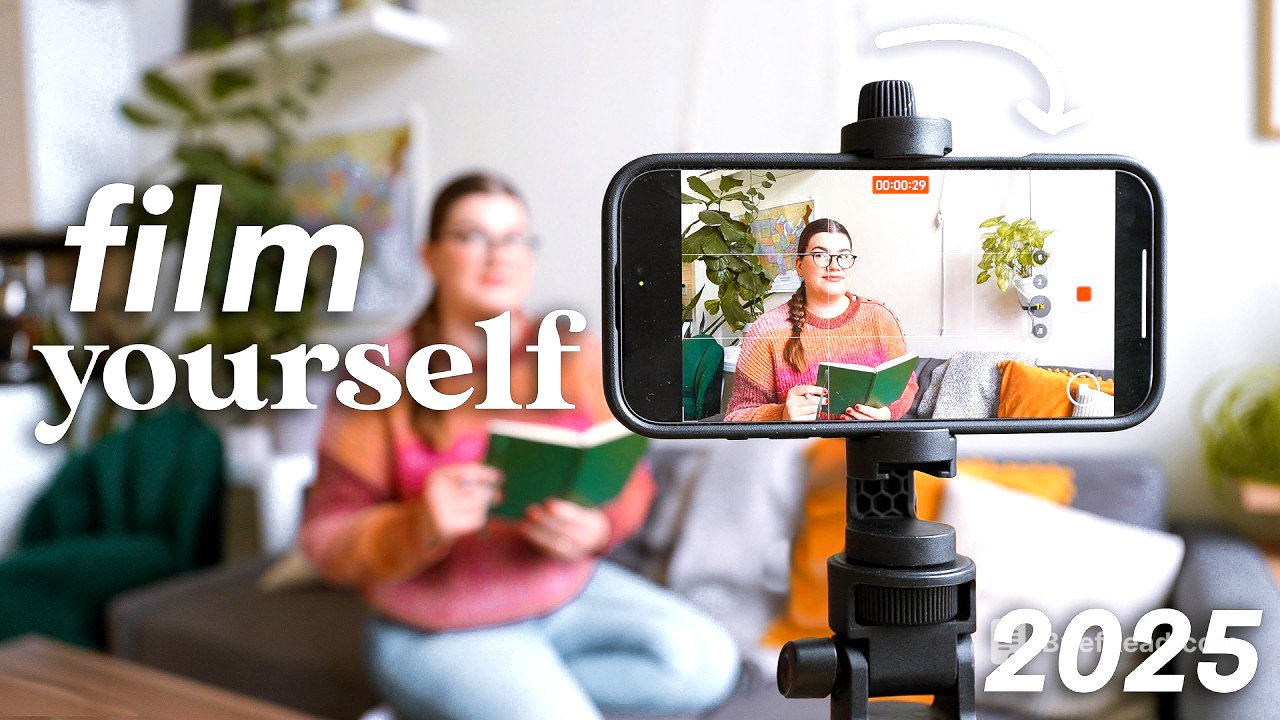
TLDR;
Filming alone can take practice, but simple framing techniques and the right tools make it possible to capture polished, varied footage without a camera operator. Use test clips or an Apple Watch to check your composition, and consider a tracking gimbal for moving shots. For strong video coverage, capture establishing shots, details, moments of human interaction and, for vlogs, direct-to-camera clips that focus on how you feel.
- Solo filming can be freeing and becomes quicker with experience.
- A tripod, test shots and an Apple Watch can help you frame yourself.
- A tracking gimbal can follow you as you move and support group framing.
- Four complementary shot types help make videos more engaging and tell a fuller story.
Why Filming Alone Can Be Freeing [0:00]
Filming yourself is challenging because you have to operate the camera, set up the composition and check that you remain in focus. After more than ten years of filming solo, Katie has developed techniques for capturing cinematic footage, B-roll and vlog clips without help. Although filming alone may seem lonely, she finds it freeing: there is no one to judge how many takes she needs or how often she adjusts the tripod. With practice, setting up a shot yourself can also be more efficient than explaining your vision to someone else.
Two Ways to Frame Yourself on Camera [1:16]
When you cannot stand behind and in front of the camera at once, you need a way to check the composition from within the shot. The simplest option is “guess and check”: position the tripod as you think it should be, record a brief test clip, step into the scene for a couple of seconds, then review the footage. Adjust the tripod and repeat until the framing looks right; for B-roll, act in the scene for at least 10–15 seconds so there is enough usable footage.
If you have an Apple Watch, you can use it as a live monitor for your iPhone camera. Open the Camera app on the watch, sit in the frame and check the composition without recording test clips. You can adjust the tripod while checking the watch, then start recording from it once you are happy. Both methods take patience, but repeated practice helps you frame shots more accurately and reduces the number of tests you need.
Filming Yourself in Motion with a Tracking Gimbal [3:46]
A stationary tripod works well for locked-off shots, but moving footage is harder to capture alone. The Insta360 Flow 2 Pro is a mobile gimbal that uses AI-powered tracking to follow the subject and keep them in frame. It can connect to an iPhone with a single NFC tap, and tracking can be activated with the gimbal’s trigger button while using the regular iPhone Camera app. Since tracking also works in apps such as FaceTime and Instagram, filming does not have to be limited to the gimbal’s own app.
In the Insta360 app, DeepTrack 4.0 can track a group rather than only one person, helping maintain a more suitable composition when filming with friends or a partner. The Pro Framing Grid lets you choose where the tracked subject sits in the frame, giving you more control over the shot. The gimbal also includes a selfie mirror, which is particularly useful when filming with the 0.5× lens: the reflection helps you check that you are near the centre of the frame. Together, these features make it easier to create moving, cinematic footage by yourself.
A Four-Part Checklist for Better Video Coverage [6:43]
A useful filming checklist has four types of shots: establishing, detail, human interaction and vlog clips. Capturing all four gives you a wider range of visuals and helps your footage form a coherent story. The examples can apply to different settings, including travel, a home skincare routine or a visit to a café.
Establishing Shots: Show Where You Are [7:27]
An establishing shot is a wide view that introduces the location and gives viewers a sense of where the next part of the video takes place. It might show a lake and mountains during a trip, you walking into the bathroom before a skincare routine, or the exterior of a café. You can appear in the shot, but you do not have to: its main purpose is to establish the setting.
Detail Shots: Add Texture and Context [8:14]
Detail shots are close-ups or smaller views that add texture to a scene. On a trip, this might be a close-up of the boat; during a skincare routine, it could show the products, a tap being turned on or hair being tied up. At a café, details might include the furniture, interior features or food. These shots help viewers experience more of the surroundings than a wide establishing shot can show.
Human Interaction: Show Your Experience [8:49]
Shots of you interacting with the place or activity help immerse viewers in the story and show your personal experience. In a travel video, capture your reaction to a location; for a skincare segment, film yourself doing the routine in both close and wider shots. At a café, a clip of you taking your first sip of coffee can convey the moment. Combined with establishing and detail shots, these clips show both the environment and how it feels to be there.
Vlog Clips: Speak to the Camera [9:42]
If you are making a vlog rather than only collecting B-roll, remember to record clips of yourself speaking directly to the camera. Beginners may find it less natural to talk to a phone unprompted, so it helps to make this an intentional part of filming. Focus on how you feel about what is happening, rather than simply describing the activity that viewers can already see in the footage. This adds a personal perspective and keeps your commentary from repeating the visuals.
Put the Techniques into Practice [10:39]
A tripod, a reliable way to frame yourself and the four-part shot checklist can provide the coverage needed to make engaging YouTube videos. The process may feel like a lot at first, so take it step by step; with practice, you will become more confident and need fewer test shots. A variety of visuals can make videos more enjoyable to edit and watch than relying only on talking-head footage.