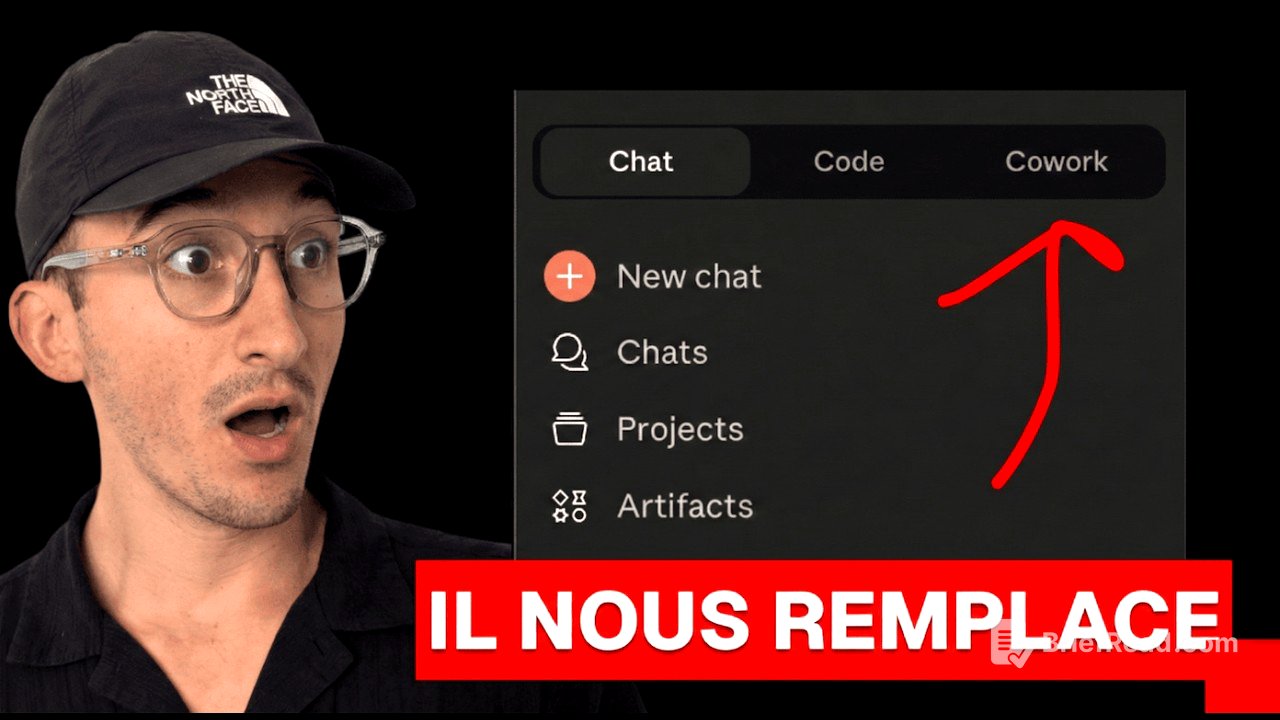
TLDR;
This video explores Claude's new "Cowork" interface, designed to make AI assistance accessible to non-developers. It tests the interface's capabilities, discusses its potential for project management and automation, and examines its security limitations. The video concludes with an overall positive assessment, highlighting the user-friendly design and potential applications, despite some limitations and cost considerations.
- Claude Cowork is designed to be user-friendly for non-developers.
- It allows AI to assist with tasks like file management, project brainstorming, and web navigation.
- Security is prioritized through a virtual machine, limiting direct system control.
- The interface is promising but has limitations and can be costly.
Introduction [0:00]
The presenter introduces Claude's new "Cowork" interface, emphasizing its role as a Cloud Code solution for non-technical users. He expresses excitement about testing the tool and discussing the vision behind it, highlighting its potential to empower individuals to solve computer-related issues independently. The presenter humorously mentions the possibility of his mother using Claude to troubleshoot her computer problems in the future.
Vision de Claude co-work [1:00]
The presenter discusses the vision behind Claude Cowork, which aims to make Cloud Code accessible to individuals without coding knowledge. He references a tweet that humorously describes it as "Cloud Code for Normies," emphasizing its user-friendly interface. The goal is to enable users to perform tasks without being intimidated by complex coding processes.
Prix et abonnement Claude [2:15]
The presenter mentions that Claude Cowork is available with the Claude Max subscription, which costs $100 per month. He references a tweet from Boris, who notes that since launching Cloud Code, many people have been using it for non-coding tasks like vacation research, slide creation, email cleanup, and finding photos. Boris expresses excitement about launching Cowork as a first step toward making Cloud Code accessible to non-developers, while also improving the user experience and safety features.
Test du tri de fichiers [3:30]
The presenter tests Claude Cowork by asking it to sort files in a downloads folder. He grants Claude permission to modify files and instructs it to move unused files older than one month to a "trash" folder. Claude successfully identifies and moves 554 unused files out of 1240, demonstrating its ability to perform file management tasks. The presenter also asks Claude to create folders for sorting images and other files, which it does by using batch commands.
Utilisation des commandes bâche [5:45]
The presenter explores Claude Cowork's ability to use batch commands to manage files. He instructs Claude to move unused folders to the trash and observes that it intelligently preserves important folders. He also recommends creating a dedicated "CC" folder within project directories for Cloud Code to access commands, though he notes that direct command access is limited in the Cowork interface.
Limites pour les développeurs [6:45]
The presenter notes that Claude Cowork is not designed for advanced users or developers. He attempts to load a project using a skill command but finds that it is not available. Despite this, he acknowledges that Claude can still access and retrieve file content, making it useful for brainstorming and project management tasks.
Gestion de projet et SaaS [8:00]
The presenter uses Claude Cowork to brainstorm ideas for a new SaaS project, building on a previous project called "Spy Lending." He provides initial ideas and instructs Claude to create a file to store the brainstorming session. Claude successfully creates the file and provides additional ideas, demonstrating its utility for project planning and organization. The presenter highlights that this type of task is something he frequently does using Cloud Code.
Sécurité et machine virtuelle [9:30]
The presenter attempts to use Claude Cowork to adjust his computer's screen brightness but discovers that it cannot directly control system settings. He explains that Claude Cowork operates within a lightweight Linux virtual machine (VM) for security reasons, which isolates it from direct hardware access. The presenter shares a link to his Cloud Code configuration for viewers to download. He notes that the VM environment enhances security but limits the tool's ability to perform certain tasks.
Navigation Web avec Chrome [11:15]
The presenter tests Claude Cowork's ability to control the Chrome browser. He instructs it to find a tutorial on preventing a Mac from going to sleep. Claude successfully uses Chrome to search Google and find relevant information. The presenter notes that this feature could be helpful for users who need assistance with web-based tasks and settings.
Conclusion et avis final [13:15]
The presenter concludes by summarizing the features and limitations of Claude Cowork. He highlights the user-friendly interface, connectors, and the ability to perform tasks such as file management and web navigation. Despite the high cost of $100 per month, he finds the tool interesting and potentially valuable, especially for non-technical users.