TLDR;
This video provides an overview of various web technologies and HTML elements. It covers topics such as web protocols (HTTP, SSL), server technologies, domain name systems (DNS), static and dynamic web pages, client-side and server-side scripting, cascading style sheets (CSS), and basic HTML tags and attributes. The video explains the purpose and usage of these technologies and elements in web development.
- Explains web protocols and server technologies.
- Differentiates between static and dynamic web pages.
- Covers client-side and server-side scripting.
- Introduces CSS and basic HTML tags.
Web Protocols [4:28]
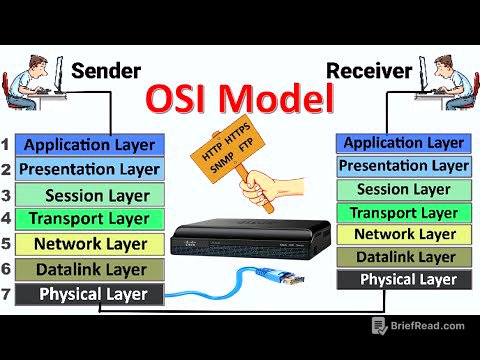
The video introduces essential web protocols, starting with the Transmission Control Protocol (TCP), which manages data packet transmission over networks. It also mentions Secure Sockets Layer (SSL), which initiates secure sessions between a browser and a server by encrypting data.
Server Technologies [11:14]
The video explains server technologies, including the role of servers as intermediaries between merchant and bank servers. It defines a web server as a computer hosting websites and discusses its functions in storing, processing, and serving large amounts of data. The client-server model and HTTP protocol are used to ensure data distribution to users. Examples of web server software include Apache Server and Microsoft Internet Information Server (IIS). Additionally, software ports facilitate connections between client computers and servers.
Domain Name System (DNS) [17:25]
The video explains the Domain Name System (DNS), which translates domain names into IP addresses, facilitating easier access to websites.
Static and Dynamic Web Pages [20:25]
The video differentiates between static and dynamic web pages. Static pages display the same content each time they are accessed, while dynamic pages can generate different content based on user interactions or other variables.
Client-Side and Server-Side Scripting [24:52]
The video discusses client-side and server-side scripting. Client-side scripting involves program codes written inside HTML pages, such as JavaScript, VBScript and PHP, which are executed in the web browser and are mainly used for data validation. Server-side scripting, on the other hand, is executed on the web server and is often used to connect to databases and retrieve data. Server-side scripts do not affect the working of client-side scripts.
Cascading Style Sheets (CSS) [30:34]
The video introduces Cascading Style Sheets (CSS), a style sheet language used for describing the formatting of documents written in HTML.
Basic HTML Tags [33:37]
The video covers basic HTML tags, explaining that some tags require both opening and closing tags, while others do not. It mentions the <title> tag, which specifies a title for the HTML document that appears in the title bar of a browser window. It also discusses the <a> tag for creating hyperlinks, including attributes like "link," "alink," and "vlink" to define the color of links.
HTML Formatting Tags and Attributes [41:22]
The video explains various HTML formatting tags, such as heading tags (<h1> to <h6>), the <br> tag for line breaks, and tags for text formatting like bold (<b>), italics (<i>), emphasized text (<em>), and marked text (<mark>). It also covers subscript (<sub>) and superscript (<sup>) tags.
HTML div and span Tags [48:54]
The video describes the <div> tag, used for defining a section or block in a document, and the <span> tag, used for inline styling. Attributes like "id," "style," and "color" can be applied to these tags.
HTML img Tag [55:55]
The video explains the <img> tag, used to embed images in an HTML page. The src attribute specifies the image source, and attributes like "vertical" can be used for alignment.