TLDR;
Alright, so this video is all about the top 20 Android apps for January 2026. The guy's been doing this series for over a decade, so he knows his stuff. He's covering everything from app stores with modded apps to productivity tools and cool utilities. Key takeaways include:
- Orion Store for modded apps like Instagram and TikTok.
- Essentials for phone tweaks and mods, like remapping buttons.
- Arc for a handy sidebar with AI features.
- GitHub Store for finding installable apps on GitHub easily.
- Super Alarm to make sure you actually wake up in the morning.
Orion Store [0:00]
Orion Store is like this new third-party app store where you can download modded apps super easily. Instead of the regular Instagram, you can get Instafll, which gets rid of ads and unlocks hidden features. For TikTok, there's TikTok Revance, which blocks ads, removes unnecessary stuff like live streams and the TikTok shop, and lets you download videos without watermarks. It also has mods for other social media apps and useful non-social apps.
Essentials [1:18]
Essentials is a free, open-source app that's like an all-in-one toolkit with tweaks and mods to make your phone better. For example, it lets you enable Google Maps' power-saving mode on any Android phone, not just Pixel 10. You can also remap your hardware buttons, like setting the volume up button to turn on the flashlight when the screen is off. Plus, it lets you snooze those annoying system notifications and customize nightlight settings for specific apps.
Arc [3:21]
Arc gives you a floating sidebar with AI actions that you can swipe in anytime. If you're not sure how to respond to a message, you can use Smart Reply to generate a response that fits the conversation. If you see a post on social media and you're not sure if it's real, you can use Fact Check to see if it's legit. There's also a Find Cheaper Alternative action for online shopping and a Healthier Alternative action for grocery shopping.
Github Store [4:47]
GitHub Store turns GitHub into a clean App Store-style experience. Instead of digging through random repositories, it automatically filters everything and only shows you projects that have installable apps. It also filters them by trending, newly released, and recently added. It works for Android, Windows, Mac OS, and Linux. Installing apps is easier too, with a big install button and clean layout of stars, issues, and forks.
Fork of Shizuku [4:45]
This is a better version of Shizuku, which lets certain apps access system-level features without root using ADB permissions. After you restart your phone, it automatically connects to Wi-Fi and starts Shizuku without needing the wireless debugging code again. It also restarts itself if it crashes and supports more devices, including MediaTek phones and the latest Android 16 beta updates. Plus, it has automation support with apps like Tasker or Macro Droid.
Doodles [7:09]
Doodles is a fun app that lets you draw little sketches or write handwritten notes that show up directly on the other person's lock screen. It's perfect for long-distance couples or friends. The only downside is that you can't type text, and there's no iOS version yet.
Glance Weather [7:42]
Glance Weather widget shows you your entire day's forecast in a clever way. Your current conditions are on the left, and the rest of your day stretches out on the right in a color-coded timeline. The bottom section shows temperature using colors and curves, and the top shows sky conditions and sunrise and sunset times. Dots show rain or snow, and arrows represent the wind.
Flowstack [8:38]
Flow Stack is for anyone who struggles with starting tasks, staying focused, or losing track of time. Instead of a to-do list, it gives every task its own timer. You stack them back to back so your day becomes a clear timeline. You can add five extra minutes on the fly or switch into a flow mode where the timer counts up instead of down.
Momentum [9:18]
Momentum makes creating time-lapses incredibly easy. You take one photo a day of something, and the app automatically stitches it into a smooth video. You don't need any editing skills. You can even adjust the speed and the frames per second. It's also super private since nothing gets uploaded to a cloud.
Calm Sounds [9:51]
Calm Sounds for Sleep and Relax is a simple app to play rain or white noise without paying for a subscription or having annoying ads. It has a solid library of sounds, including rain, thunder, ocean waves, forest sounds, white noise, and even soft instruments. You can mix and match the sounds and adjust individual volumes.
Dragon Store [10:37]
Dragon Store is another solid alternative app store. It pulls together apps from around the web that aren't available on the Play Store, so you don't have to go hunting for APKs on sketchy websites. It takes you directly to each app's official website to grab the latest version.
Traffic Light [11:09]
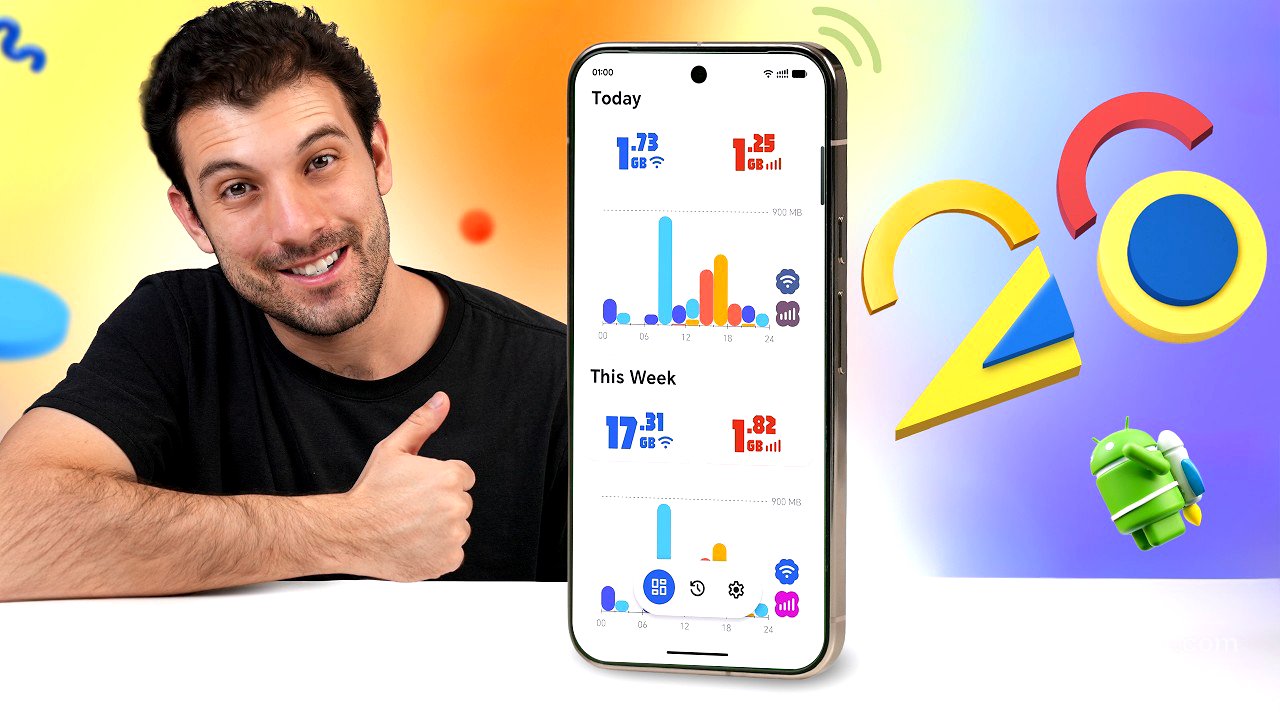
Traffic Light is a clean app that helps you keep track of your network speed and data usage. The design is built with Google's new Material U Express design language. The main screen shows your daily internet use, split between Wi-Fi and mobile data, and at the bottom, you get a weekly breakdown. There's also a history tab that goes day by day and even shows which apps use the most data.
Clipboard Remote [11:47]
Clipboard Remote solves the annoyance of copying things between your phone and your computer. It lets you copy and paste text, links, and even images between your Android, iOS, Mac, and Windows devices all over your local Wi-Fi. Nothing goes to the cloud, and no accounts are needed. It also saves a history of your clipboard.
mpvExtended [12:30]
If you're using a video player like MX Player, check out MPV Extended. It's got a modern Material You design, is completely ad-free, and is open source. It's built on the super powerful MPV engine, so you get great playback and support for pretty much every format, but with a cleaner and easier-to-use interface.
Phi Minimal Launcher [13:11]
Fi Minimal Launcher is a new third-party launcher that keeps things simple. You get a clean home screen with a search bar, your favorite apps at the bottom, and a swipe-up app drawer. On the left is a whole page of useful widgets, quick notes, app usage, to-do lists, habit trackers, event countdowns, and a music player. To the rightmost screen, you have a widgets panel where you can add all your favorite custom widgets.
DNSNet [14:20]
DNSNet is a modern ad blocker that blocks ads, malware, and all sorts of sketchy stuff online. It uses host files from popular sources like Ada Away and Steve Black. It sets up a VPN connection to reroute DNS traffic and filter out all the junk. It's completely free, open-source, and doesn't require root access or any sort of payments.
Transfer [14:58]
Transfer works over your local Wi-Fi just like Quick Share, but it also sets up a mini file server you can access from any browser. You just type in the IP address into your laptop's browser, and you get a clean drag-and-drop interface to send stuff to your phone. You can also send files from your phone to your computer and even share clip or text between devices.
Echo Equalizer [15:43]
Echo Equalizer improves the audio on all your devices. You can crank up the bass, tweak the loudness, pick presets for your go-to music genre, whatever. It works throughout the entire system for any app, including Spotify, YouTube, and TikTok. You don't need root either or mods. It has zero ads, zero paywalls, and no sketchy permissions.
PutMask [16:21]
PutMask is the best app to blur something out in a video. It requires zero editing skills and lets you even blur out objects that move around in your video with ease. You just import the video, and if it's something like a face or a license plate, the app can automatically detect and track it for you.
Super Alarm [17:12]
Super Alarm forces you to actually do something to turn off your alarm in the morning. It could be solving a math problem or playing a memory game. If you get the full version, you can even set up even crazier stuff, like step count goals, have you scan a specific item you chose the night before, or even make it so you have to shake your phone a certain amount of times in order to disable the alarm.