TLDR;
This comprehensive EQ course provides a thorough understanding of equalisation, covering fundamentals, practical applications, and advanced techniques. It addresses common EQ struggles, such as identifying frequencies and determining appropriate cuts or boosts, by introducing a strategic approach. The course also covers frequency masking, hardware versus software EQs, instrument-specific EQ techniques, and a unique "chef strategy" for applying EQ effectively.
- Understanding the frequency spectrum and EQ parameters.
- Developing a strategic workflow for EQ.
- Mastering EQ for various instruments and voices.
- Learning to clean up muddiness and balance the low end, mid-range, and top end.
Introduction to EQ [0:00]
The course aims to equip learners with the knowledge and skills to use equalisers effectively, leading to cleaner, clearer, and more professional-sounding mixes and masters. It addresses the common problem of "erratic EQ," where users randomly adjust bands without a clear strategy, and introduces the "chef strategy" as a guiding framework. The course also provides resources such as practice assignments, cheat sheets, and PDFs to support learning.
What is an EQ? [2:36]
An EQ, or equaliser, is essentially a volume fader for an instrument's tone, allowing you to increase the volume of desirable frequencies and decrease the volume of undesirable ones. Every instrument possesses a unique tone composed of thousands of sound waves, known as frequencies. An EQ enables manipulation of these frequencies, boosting the volume of preferred ones and reducing the volume of those that are not. Examples using vocals, drums and electric guitar demonstrate how EQ adjustments alter the tone, making it warmer, brighter, thinner or more balanced. EQ is a fundamental mixing tool, essential for shaping sound and tone.
The Frequency Spectrum [8:17]
The frequency spectrum is a chart that lays out all the unique sound waves or frequencies that instruments create, ranging from 20 Hertz (Hz) to 20,000 Hz (20 kHz). Hertz measures how fast a sound wave vibrates, indicating pitch, with higher Hertz meaning higher pitch. The frequency spectrum represents the sonic energy of an instrument at any given moment, helping us understand how EQ adjustments will affect its tone. Instruments produce thousands of frequencies, and the balance of these frequencies defines their tone. The different regions of the frequency spectrum each have their own unique tone.
Frequency Ranges [12:10]
The frequency spectrum is divided into distinct regions: the sub-bass (20-60 Hz), felt more than heard; the bass (60-200 Hz), providing thickness and boom; the low mids (200-600 Hz), where most instruments reside, often causing muddiness; the mids (600 Hz-3 kHz), crucial for human hearing and balance; the upper mids (3-8 kHz), adding presence and character but also harshness; and the highs (8-20 kHz), creating "air" and openness. Understanding these ranges is crucial for effective EQing, allowing you to target specific areas to achieve desired tonal adjustments. Experimenting with boosting and sweeping through these ranges on your own instruments is recommended to internalise their sounds.
Anatomy of an EQ [24:40]
An EQ is built around filters, including bell filters, high-pass filters (HPF) that cut out the bottom end, low-pass filters that cut out the top end, and shelving filters that boost or cut the entire bottom or top end. Frequencies, measured in Hertz (Hz), determine where these filters are applied. The volume amount, measured in decibels (dB), indicates how much the filter boosts or cuts. The Q factor determines the width of the filter, with higher Q values resulting in thinner filters. Room resonances are rogue frequencies amplified by the room's shape, often addressed with surgical EQ, using a narrow Q and deep cut. Spectrum analysers visually display the frequency content, aiding in identifying resonances or lacking areas. Masking occurs when similar frequencies from different instruments clash, reducing clarity, and is often resolved by EQ cuts to create space.
The Four Goals of EQ [33:46]
The four primary goals of using an EQ are to eliminate undesirable elements from recordings, enhance the desirable aspects, harmonise the recordings within the mix, and attain a well-balanced tone throughout the entire mix. Balance is key to mixing, encompassing dynamics (compression), space (panning, reverb, delay), and tone (EQ). By mastering these four goals, you can achieve professional-sounding mixes that translate well across various playback systems.
What EQ Can't Fix [38:49]
An EQ cannot rectify a poor recording, a flawed arrangement, or a subpar performance. It also cannot compensate for an imbalanced volume mix or a deficient listening environment. Achieving optimal results necessitates prioritising high-quality recordings, thoughtful arrangements, compelling performances, and a well-balanced volume mix, all within a conducive listening space.
The Balance Chart [49:14]
The balance chart connects subjective descriptions of sound with specific frequency ranges, helping you to identify and address tonal imbalances. It indicates where desired tones likely reside and where unwanted tones may be excessive or deficient. By using the balance chart, you can identify the words that describe the sound you are aiming for and then adjust the EQ to achieve that balance. The focus is on creating balance in the frequency spectrum, not just boosting or cutting frequencies. Examples demonstrate how to use the chart to EQ vocals, drums, electric guitar, and a full mix.
Ear Training [1:03:43]
Ear training is essential for identifying and addressing specific sound issues in a mix. Three techniques are recommended: the "bench technique," involving listening and noting sounds in various environments; using ear training programs like "TrainYourEars" and "SoundGym"; and the "vowel technique," using whispered vowel sounds to identify problem areas in the frequency spectrum.
Sweep EQ [1:16:38]
Sweep EQ is a technique used to identify specific areas for tonal changes or to find resonant frequencies. It involves creating a narrow band, boosting it, and sweeping it across the frequency spectrum to find problematic areas. For resonant frequencies, a sharp Q is used to cut the rogue frequency completely. For tonal adjustments, a wider Q is used to boost or cut frequencies, enhancing the overall tone. Examples demonstrate how to use sweep EQ on acoustic guitar and drums.
Hearing Resonant Frequencies [1:37:40]
Resonant frequencies are rogue sound waves that get amplified due to the shape of a room or instrument. They are most common in home recordings and can be identified by listening to the sustain of a chord or note and noticing any frequencies that stand out. Instruments like acoustic guitars, drum sets, and upright basses are particularly prone to resonant frequencies. Sweep EQ is used to pinpoint and eliminate these frequencies, resulting in a cleaner, more balanced sound.
Using Reference Tracks [1:44:35]
Reference tracks are professionally mixed songs in the same genre as your project, used to guide your mixing decisions. They help achieve mixes that translate well across different speakers, identify missing elements, and balance volume levels. By comparing your mix to a reference track, you can identify areas needing adjustment and ensure a professional-sounding result. It's important to level match the reference track to your mix and avoid routing it through your mix bus processing.
Using Reference Tracks for EQ [2:22:11]
Reference tracks can be used to improve the overall EQ sound of your mix by identifying differences in tone and balance. Techniques include using the balance chart to compare your mix to the reference, using match EQ to automatically adjust frequencies, and paying attention to volume balance. The goal is to create a professional foundation for your mix while still allowing for creative expression.
Gain Staging [2:38:25]
Gain staging involves ensuring that an instrument's loudness remains consistent before and after EQ adjustments. This is crucial because human ears perceive louder sounds as more exciting, potentially leading to inaccurate mixing decisions. Gain staging also affects the frequency spectrum, as increasing the volume after a cut essentially boosts everything else. VU meters, which measure loudness in a way that aligns with human perception, are recommended for accurate gain staging.
The AB Test [2:38:25]
The AB test is a technique to objectively evaluate EQ decisions. It involves listening to before and after versions of a track without knowing which is which, eliminating bias. After gain staging, close your eyes, randomly toggle the EQ on and off, and then listen to determine which version sounds better. If the original version is preferred, consider leaving the track alone, resetting the EQ, or exploring alternative solutions.
EQ Philosophies [2:38:25]
Three key philosophies guide effective EQing: EQ with purpose and intention, focusing on solving problems or enhancing tracks rather than blindly following tips; use subtle adjustments, making numerous small changes rather than a few drastic ones; and remember that nothing is a hard rule, everything is a guideline, adapting techniques to suit the specific needs of each track.
Types of EQ [3:14:24]
Different types of EQs include analog versus digital, parametric versus semi-parametric versus graphic, minimum phase versus linear phase, stereo versus mid-side, and static versus dynamic. Analog EQs add colour and saturation but are less accurate, while digital EQs offer accuracy but are colourless. Parametric EQs offer full control over frequency, Q, and volume, while semi-parametric EQs lack Q control, and graphic EQs offer fixed frequency bands. Linear phase EQs minimise phase manipulation but introduce latency, while mid-side EQs process the mono and stereo channels separately. Dynamic EQs adjust frequencies based on a set threshold, and smart EQs use AI to automatically balance the sound.
The Chef Method [3:40:41]
The chef method is an EQ workflow that divides the mixing process into five steps: cleaning tracks, enhancing tracks, balancing the mix's tone, blending instruments, and making final tweaks. This method provides a structured approach to EQing, helping you to achieve a professional-sounding mix by focusing on specific aspects at each stage.
Step 1: Cleaning Your Tracks [3:45:45]
The first step in the chef method involves cleaning your tracks by removing unwanted elements such as resonant frequencies and low-end rumble. This is achieved through surgical EQ, which targets and eliminates rogue sound waves, and high-pass filtering, which removes unnecessary low-frequency energy.
Hearing Resonant Frequencies [3:45:45]
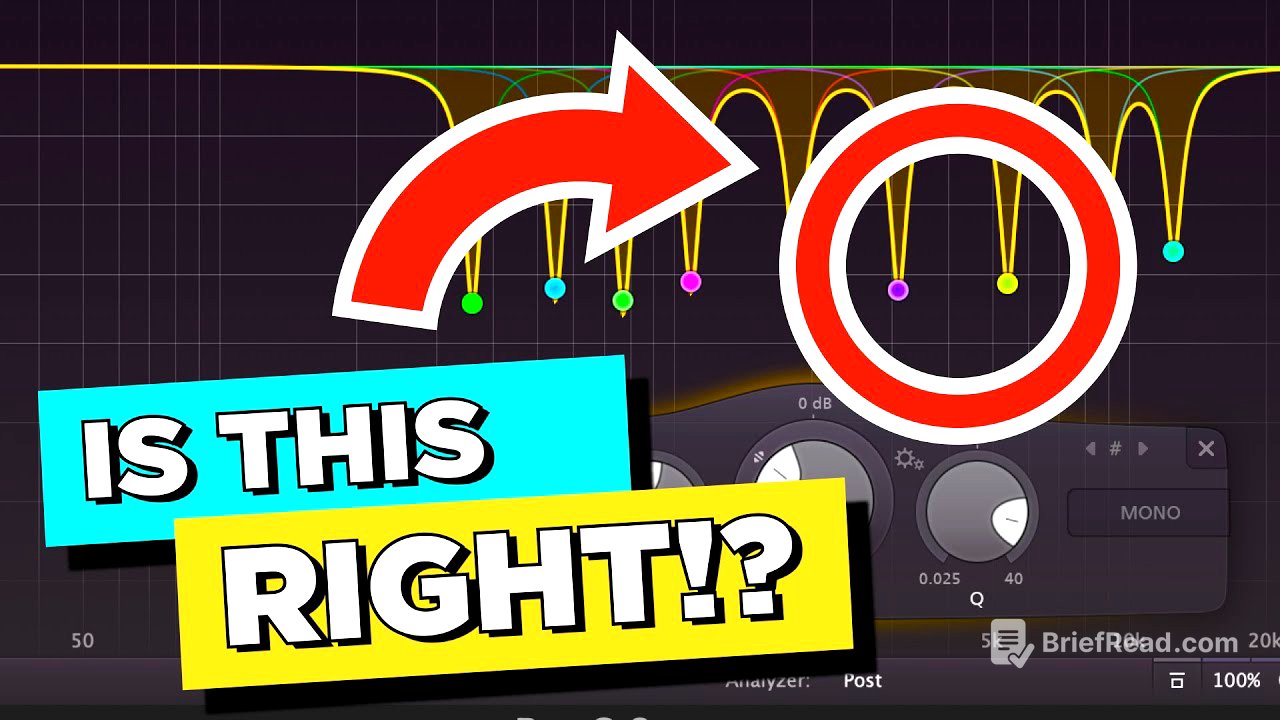
Resonant frequencies are rogue sound waves that bounce off room surfaces and get stuck in the microphone, covering up the quality of the track. They can be identified by listening to the sustain of a chord or note and noticing any frequencies that stand out. Sweep EQ is used to pinpoint and eliminate these frequencies, resulting in a cleaner, more balanced sound.
Step 2: Enhancing Your Tracks [4:10:27]
Enhancing tracks involves creating a tonal balance in each instrument using EQ. This step aims to make each instrument sound clear, exciting, and present before starting the mix. The balance chart is used to identify areas needing adjustment, and EQ moves are made to achieve the desired tonal qualities.
Step 2.5: Balancing Your Tracks [4:46:09]
Balancing your tracks involves setting the volume levels of each instrument to create a foundation for the mix. The height order method is used, starting with the most important instruments (e.g., lead vocals) and then adding in background instruments, ensuring that everything is balanced around the foreground elements.
Step 3: Balancing Your Mix's Tone [4:55:57]
Balancing the mix's tone involves using a mix bus EQ to adjust the overall tonal balance of the entire mix. This step aims to make the mix sound consistent and balanced across different playback systems. Reference tracks are used to guide EQ decisions, ensuring that the mix aligns with professional standards.
Step 4: Blending Your Instruments [5:16:54]
Blending instruments involves creating space in the frequency spectrum for each instrument to sit nicely, preventing them from fighting for attention. This is achieved through three steps: making a boost where an instrument should be dominant, making a cut where an instrument should make space for another dominant one, and doing pocket EQ for instruments in the same octave.
Hearing Resonant Frequencies [3:45:45]
Resonant frequencies are rogue sound waves that get amplified due to the shape of a room or instrument. They are most common in home recordings and can be identified by listening to the sustain of a chord or note and noticing any frequencies that stand out. Sweep EQ is used to pinpoint and eliminate these frequencies, resulting in a cleaner, more balanced sound.
Step 5: Making Your Final Tweaks [5:49:14]
Making final tweaks involves using your ears to identify and address any remaining issues in the mix. This step is about problem-solving and re-evaluating the overall balance, ensuring that everything sounds cohesive and professional.
Fixing Muddy and Thin Mixes [5:57:06]
Muddy mixes result from excessive sonic energy in the lows, subs, and low mids, while thin mixes lack energy in these areas. The mute method helps identify problematic instruments, and EQ adjustments are made to balance the frequency spectrum.
Translation Problems [6:08:34]
Translation problems, where mixes sound different on various playback systems, are caused by bad acoustics in the listening space, lack of context while mixing, and an unbalanced low end. Addressing these issues involves improving room acoustics, using reference tracks, and carefully balancing the low-end frequencies.
Mixing in Mono [6:20:32]
Mixing in mono involves summing the entire mix to a single channel, forcing you to create separation between instruments using EQ and volume. This technique helps ensure that the mix sounds balanced and clear even when played on mono systems.
Using Presets [6:28:46]
Presets are helpful learning tools for understanding how EQ affects tone but are not ideal for mixing. They provide a starting point but should be adjusted based on the specific needs of each instrument and mix.
Premium vs Stock Plugins [6:34:16]
Skill is more important than gear. While premium plugins can offer subtle improvements, the quality of a mix primarily depends on the mixer's skill and knowledge. Investing in acoustic treatment and ear training is more beneficial than purchasing expensive plugins early on.
Dynamic EQ [6:41:40]
Dynamic EQ combines compression and EQ, adjusting frequencies based on a set threshold. It's useful for addressing inconsistent tones, particularly in vocals, but should be used sparingly and after mastering regular EQ techniques.
Smart EQ [6:52:58]
Smart EQs use AI to automatically balance the sound, but their effectiveness varies depending on the specific plugin. They can be used to balance tone, find resonant frequencies, and correct phase issues. However, it's important to understand their limitations and use them as a tool to enhance your own mixing skills, not replace them.