TLDR;
This video explores the possibility of running large language models (LLMs) locally using a cluster of four Mac Studios. It highlights Apple's release of RDMA over Thunderbolt and the public release of Exo 1.0, which enables users to transform multiple Mac Studios into a powerful AI cluster. The video demonstrates the performance improvements achieved by using RDMA and tensor sharding, and compares the performance of dense and mixture of experts models. It also touches on the potential applications of this setup, such as creating a local voice assistant, and the challenges of integrating it with existing AI coding agents.
- Apple's RDMA over Thunderbolt significantly boosts performance.
- Exo 1.0 allows clustering of Mac Studios for AI tasks.
- Performance varies between dense and mixture of experts models.
Introduction to Local LLMs and Mac Studio Cluster [0:07]
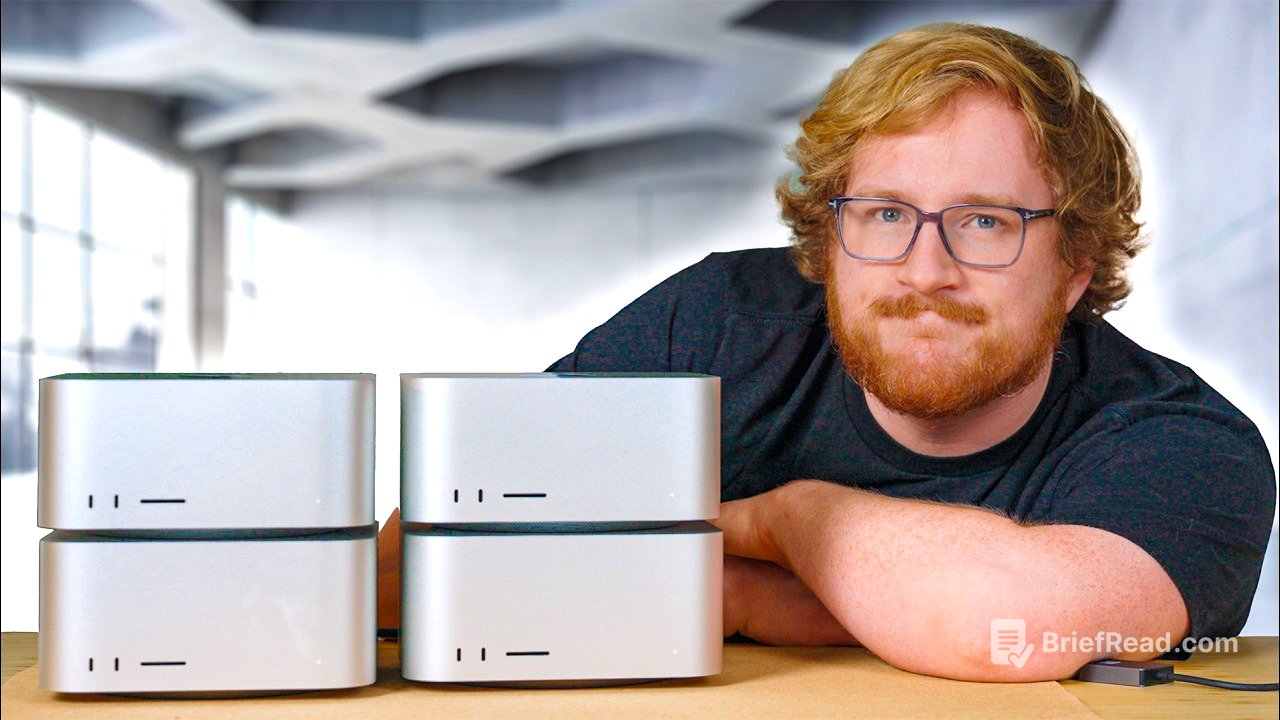
The video introduces the concept of running AI models locally, contrasting it with subscription-based services like Open AI and Google Gemini. It showcases a setup involving four Macintosh, boasting 1.5 terabytes of unified memory, designed to run large language models (LLMs) without relying on external data centres. Two key advancements are highlighted: Apple's release of RDMA over Thunderbolt in Mac OS 26.2 beta and the public release of Exo 1.0 software, which facilitates turning these Macs into an AI cluster.
Unified Memory and Boot.dev Sponsorship [3:00]
Apple's M-series silicon, particularly the M3 Ultra chips in the Mac Studios, features unified memory shared between the CPU and GPU, with configurations up to 512 GB of RAM. This enables the execution of demanding AI models. The video is sponsored by boot.dev, a platform that gamifies learning programming languages like Python, SQL, and Go, offering courses for various experience levels and teaching essential tools like Linux, Git, and Docker. Free course materials are available, with a discount code "Jaku" for 25% off an annual plan.
Initial Model Testing and Networking Bottleneck [4:54]
The presenter tests the performance of a 70 billion parameter Llama 3.3 model on a single Mac Studio, achieving about five tokens per second. Larger models like Deep Seek and Mistral 3 Large are also mentioned, requiring the clustered setup. Initially, the Macs are connected via 10 GB Ethernet, but this proves to be a bottleneck. The video explains that while the model is distributed across the cluster, the networking speed limits the rate at which the computers can exchange information, similar to a relay race where the baton pass is slow.
RDMA over Thunderbolt and Performance Improvement [8:38]
To improve performance, the video explores using Thunderbolt cables and enabling RDMA (Remote Direct Memory Access), which significantly reduces latency. This requires a Mac with Thunderbolt 5 (M4 Pro or M3 Ultra) and the Mac OS 26.2 beta. With RDMA enabled, the speed of the Llama 3.3 model nearly doubles to nine tokens per second.
Kimmy K2 Model and Troubleshooting [10:24]
The presenter attempts to run the larger Kimmy K2 instruct model, encountering numerous issues and spending 12 hours troubleshooting. The Exo software receives multiple updates to improve stability. It's revealed that the Macs need to be named according to the cabling image, and only pre-curated models in the MLX format are supported for RDMA.
Performance Benchmarks with RDMA [12:31]
After resolving the issues, the video presents performance benchmarks. The Llama 3.3 model on two Mac Studios with RDMA achieves around 15.5 tokens per second, a 3.25x speed increase. The Kimmy K2 model, which requires all four machines, shows a smaller performance gain, going from 25 tokens per second with pipelining to nearly 35 tokens per second with all four machines. The time to first token is also reduced significantly.
Deepseek v3.1 and Model Efficiency [14:49]
Testing the Deepseek v3.1 model reveals that mixture of experts models are less efficient to parallelise than dense models. The performance increase from using four machines instead of two is marginal. The video notes that Exo is working on optimisations to address this.
Applications and Power Consumption [16:04]
The video discusses potential applications of the Mac Studio cluster, such as using it as a local voice assistant. Exo provides an Open AI compatible API, but integration with AI coding agents is still a work in progress. Power consumption is also examined, with the cluster drawing around 480 watts for a mixture of experts model and 600 watts for the dense Llama 3.3 model.
Comparison to H200 GPU and Conclusion [18:13]
The video compares the performance of the Mac Studio cluster to a single H200 Nvidia GPU, which costs around $30,000. The cluster achieves about half the token rate of the H200. The presenter expresses excitement about the performance improvements achieved through software optimisation on existing hardware. Despite concerns about the potential misuse of AI, the video concludes with a call to explore the positive applications of this technology, such as creating a local voice assistant. The video ends with a reminder to subscribe and check out boot.dev.