TLDR;
This video tutorial explains how to parse data from websites and Excel files using Python's pandas library. It covers reading HTML tables from websites, including how to handle complex tables with multi-level headers, and reading data from Excel files, including specifying sheets and using the ExcelFile class for more detailed data analysis. The tutorial also touches on writing data to CSV and Excel files.
- Parsing data from websites and Excel files using Python's pandas library.
- Reading HTML tables from websites, including handling complex tables with multi-level headers.
- Reading data from Excel files, including specifying sheets and using the ExcelFile class for more detailed data analysis.
- Writing data to CSV and Excel files.
Parsing Data from Websites [0:00]
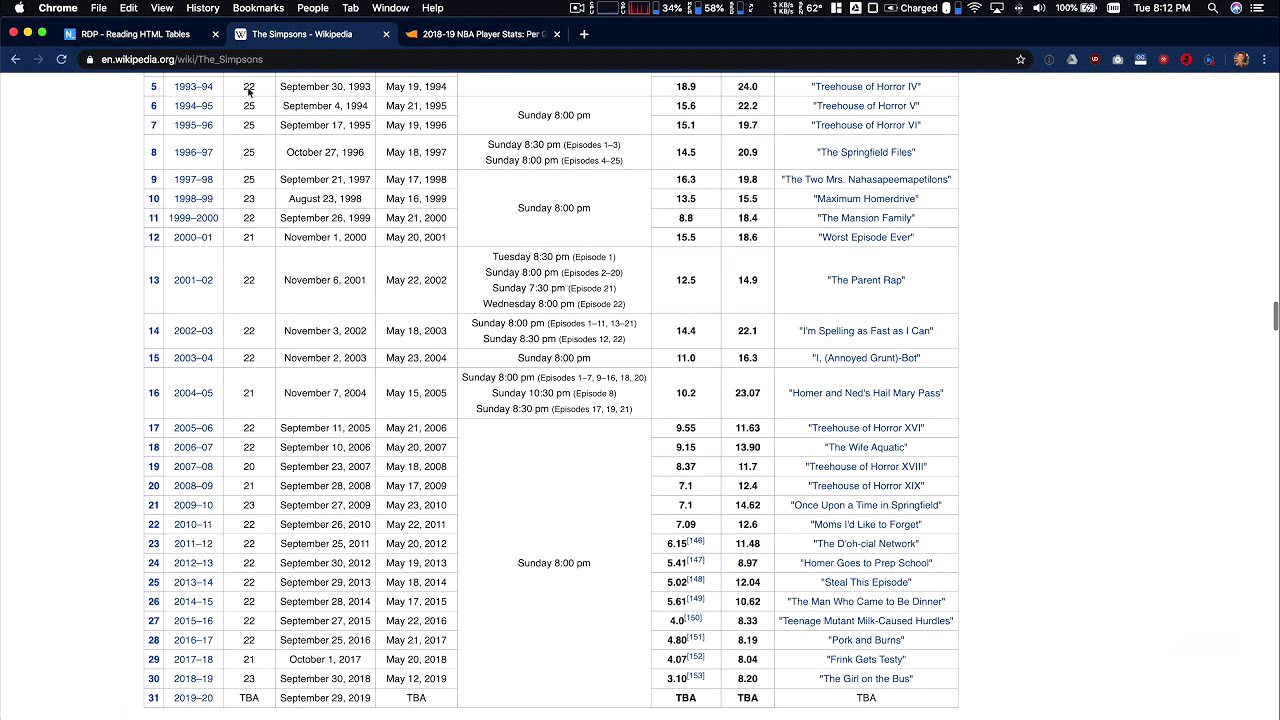
The video explains how to parse data directly from a website using the read_html function in pandas. It emphasizes the importance of ensuring that the data is public and accessible for parsing. The tutorial uses an NBA statistics table from Wikipedia as an example, demonstrating how to extract the table data into a DataFrame. It also addresses the complexities of parsing HTML tables, particularly those with multi-level headers, using a Simpsons Wikipedia page as an example. These tables often require additional cleaning due to formatting optimized for humans rather than machines.
Cleaning HTML Tables [1:48]
The video highlights the need for cleaning HTML tables after parsing due to formatting inconsistencies. It demonstrates how to identify and remove header rows that are repeated throughout the table. The presenter attempts to remove these rows using the drop function, illustrating the process of locating the rows and specifying the range to be dropped. The video also suggests exploring APIs associated with websites as an alternative to directly parsing HTML, noting that while APIs may be more structured, directly pulling data from Wikipedia can sometimes be simpler.
Reading Data from Excel Files [4:01]
The video transitions to reading data from Excel files using pandas. It notes that Excel files are not simple text files and require external tools for parsing, which are pre-installed in platforms like notebooks AI but may need installation in other environments. The tutorial introduces the read_excel method, which simplifies the process of reading data from Excel files, and discusses parameters such as specifying the sheet to read from. It uses a sample "products" file with multiple sheets ("products," "descriptions," and "merchants") to demonstrate how to read different sheets into DataFrames.
Advanced Excel File Handling [6:24]
The video introduces the ExcelFile class for more advanced handling of Excel files. Instead of directly reading an Excel file into a DataFrame, the ExcelFile class is instantiated with the file name, providing a reference to the entire Excel file. This allows for exploratory data analysis, such as listing sheet names using the sheet_names attribute. The tutorial demonstrates how to parse specific sheets from the ExcelFile object into DataFrames, using the same parameters as the read_excel method.
Writing Data to Excel Files [7:25]
The video covers writing data to Excel files using the to_excel method, which functions similarly to the to_csv method. It discusses options for including or excluding the index and specifying the sheet name. For more complex writing scenarios, such as writing to multiple sheets in a single Excel file, the tutorial introduces the ExcelWriter class. This class allows for instantiating a writer object and specifying which DataFrames to write to which sheets. The video concludes by noting that the ease of reading and writing data to Excel files depends on the installed libraries and the operating system, advising viewers to consult the pandas documentation for platform-specific requirements.