TLDR;
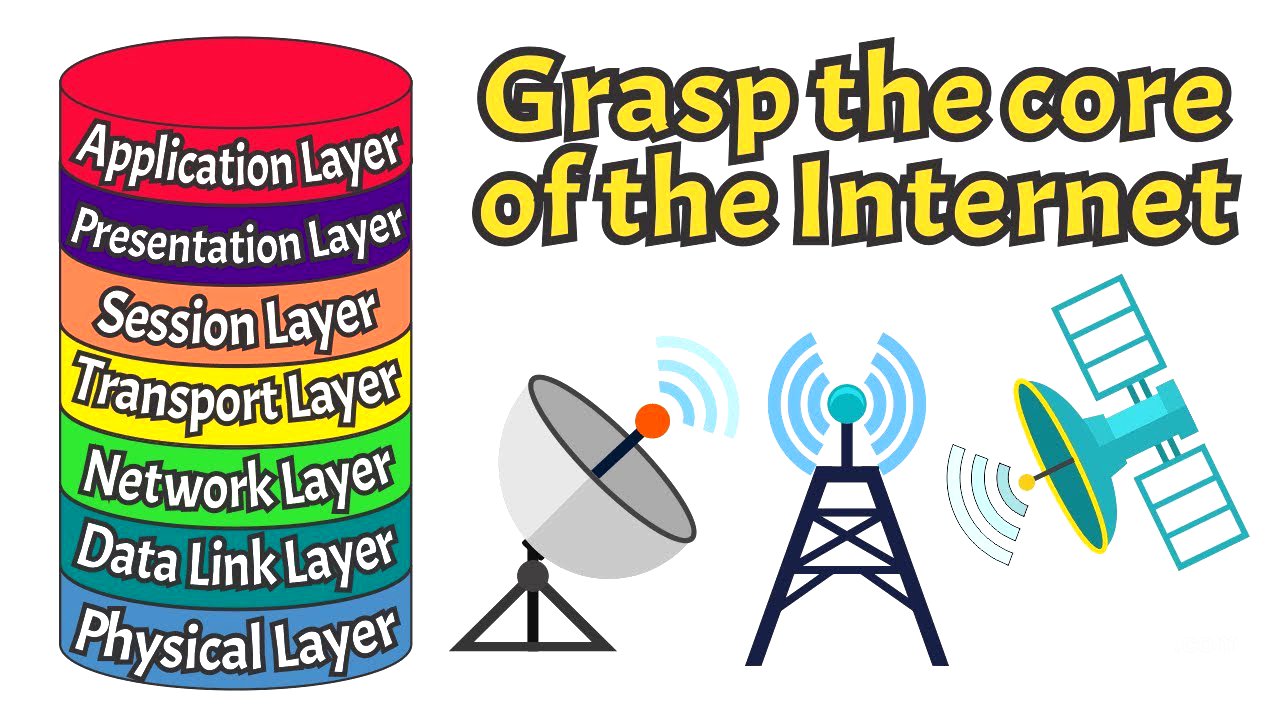
This video explains the OSI (Open Systems Interconnection) model, a conceptual framework that standardizes how different network protocols interact to enable communication over a network. It divides network communication into seven layers: Physical, Data Link, Network, Transport, Session, Presentation, and Application. Each layer has specific functions, from transmitting raw data to providing end-user services.
- The Physical Layer transmits raw data bits over physical media.
- The Data Link Layer organizes data into frames and handles addressing and error detection.
- The Network Layer routes data across different networks using IP addresses.
- The Transport Layer manages end-to-end delivery of data.
- The Session Layer manages interactions between applications.
- The Presentation Layer translates and formats data for the Application Layer.
- The Application Layer provides network services to end-user applications.
Intro [0:00]
The video introduces the OSI model as the backbone of internet communication. It promises to explain how each of the model's layers contributes to the smooth operation of the digital world. The channel, WhiteboardDoodles, simplifies tech-related concepts using whiteboard animations.
What is the OSI Model? [0:27]
The OSI (Open Systems Interconnection) model is a framework that standardizes network protocols, dividing network communication into seven layers: Physical, Data Link, Network, Transport, Session, Presentation, and Application. Each layer has specific functions, from transmitting raw data to providing end-user services like web browsing. This layered approach ensures interoperability and simplifies troubleshooting and network design.
1 - Physical Layer [1:15]
The Physical Layer, the first layer of the OSI model, is responsible for transmitting and receiving raw binary data over physical media. It deals with hardware aspects like cables, switches, and network interface cards, converting data into signals that can be sent over electrical, optical, or radio wave connections. This layer defines specifications for cables, connectors, and signal types, providing the foundation for higher layers to establish physical connections between devices on a network.
2 - Data Link Layer [2:09]
The Data Link Layer, the second layer of the OSI model, is essential for transmitting data across a network. It organizes raw data from the Physical Layer into frames, which are structured packets of information. This layer handles addressing and error detection to ensure data reaches the correct device and manages transmission errors. MAC addresses are critical for uniquely identifying devices on a network, and the layer also controls data flow to prevent collisions, ensuring smooth and efficient transmission within a local network.
3 - Network Layer [3:10]
The Network Layer, the third layer of the OSI model, is crucial for routing data across different networks. It takes data frames from the Data Link Layer and adds logical addressing, such as IP addresses, to route the data to its destination across various networks. This layer handles packet switching and routing, ensuring data is directed efficiently from source to destination. It also manages traffic congestion and can split large data packets into smaller fragments if needed, directing data traffic across multiple networks to ensure it reaches the correct location.
4 - Transport Layer [4:08]
The Transport Layer, the fourth layer of the OSI model, manages the end-to-end delivery of data across networks. It takes segments from the Network Layer and ensures they are transmitted reliably between devices. This layer handles error correction, retransmitting missing or corrupted data to guarantee smooth and uninterrupted communication. It also manages data flow to prevent congestion and ensures the data transfer rate is appropriate for both sending and receiving devices. Key protocols at this layer include TCP (Transmission Control Protocol) and UDP (User Datagram Protocol), which provide mechanisms for reliable or fast connectionless data transmission, respectively.
5 - Session Layer [5:06]
The Session Layer, the fifth layer of the OSI model, manages and controls interactions between applications. It establishes, maintains, and terminates communication sessions between two devices on a network. This layer handles session establishment, synchronization, and recovery from interruptions. If a connection is temporarily lost, the Session Layer can help reestablish it without losing the current state of the communication. Technologies at this layer include session management protocols like NetBIOS and RPC (Remote Procedure Call), which facilitate session setup and coordination.
6 - Presentation Layer [5:57]
The Presentation Layer, the sixth layer of the OSI model, translates and formats data for the Application Layer. It is responsible for data translation, encryption, and compression, ensuring that data is presented in a format that the Application Layer can understand. This layer handles tasks such as converting data from one character encoding to another, compressing data to reduce transmission size, and encrypting data for security purposes. Technologies at this layer include data formats like JPEG for images or MPEG for video, and encryption protocols like SSL and TLS for secure data transmission.
7 - Application Layer [6:49]
The Application Layer, the seventh and topmost layer of the OSI model, provides network services to end-user applications. It is the layer where users interact with networked services and applications, such as web browsers, email clients, and file transfer programs. This layer provides essential services like email transmission, file transfer, and web browsing. Technologies at this layer include protocols and services that enable specific applications, such as HTTP for web pages, SMTP for email, and FTP for file transfers, ensuring user applications can effectively communicate over the network.
Practical Example [7:48]
The video provides an example of how a data packet travels through each layer of the OSI model during a web browsing session. When a user types a URL into a web browser, the Application Layer uses HTTP to generate a request. The Presentation Layer formats and encrypts this request using SSL/TLS. The Session Layer establishes a session between the browser and the server. The Transport Layer divides the request into segments managed by TCP/UDP. The Network Layer encapsulates these segments into packets with IP addresses. The Data Link Layer further encapsulates the packets into frames with MAC addresses. Finally, the Physical Layer converts the frames into electrical, optical, or radio signals for transmission over the network.
Outro [9:15]
The video concludes with a thank you and a call to action, encouraging viewers to subscribe, like the video, and check out other related videos on the channel.