TLDR;
This video explains how YouTube handles work, specifically addressing the confusion users face when trying to transfer a handle from one channel to another. It details the issue of handles remaining unavailable even after being changed on the original channel and provides a solution involving reassigning a new handle to fully release the desired handle. The video also touches on the behavior of handles after a channel deletion, noting a delay before they become available again.
- YouTube handles are unique channel IDs that simplify user interaction and channel URLs.
- Transferring a handle involves more than just changing it on the original channel; a new handle must be assigned to fully release the previous one.
- Deleted channels do not immediately release their handles; a waiting period of 14-30 days is typical.
Introduction to YouTube Handles [0:00]
The video introduces the concept of YouTube handles, which are unique channel identifiers similar to those used on platforms like Instagram and TikTok. These handles, denoted by an "@" symbol followed by a chosen name, streamline user interaction and provide simplified channel URLs. The introduction of handles has led to competition for short, desirable names, prompting users to reserve them.
The Problem: Transferring YouTube Handles [0:10]
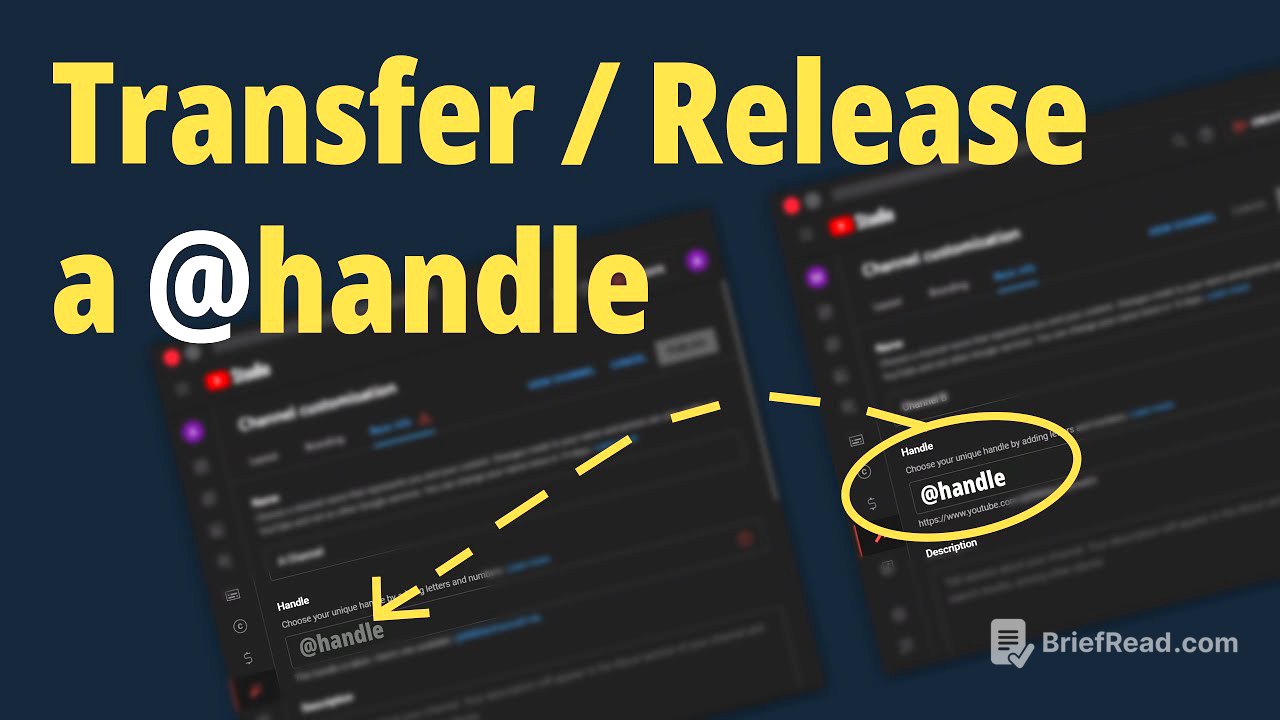
The video addresses the problem of transferring YouTube handles between channels. The speaker shares their experience of trying to move a handle from an old, unused channel to their main channel. They found that simply changing the handle on the old channel did not make it immediately available for use on the new channel. YouTube's system creates a delay, leaving the handle in an intermediate state where it's no longer the primary handle of the original channel but is still unavailable for reassignment.
Demonstration of the Issue [1:33]
To illustrate the issue, the speaker sets up a demonstration using three browser windows. One window shows the main account, another shows the "trash" account with the handle to be transferred (BBB Channel Zero one), and the third is used to check the URL. Changing the handle on the trash account doesn't immediately free it up. The old URL still redirects to the trash account, indicating the handle is not fully released.
The Solution: Reassigning Handles [2:46]
The solution involves assigning a new handle to the original channel. By assigning and publishing a new handle on the old channel, the original handle is fully released and becomes available for use on another channel. The speaker demonstrates that after assigning a new handle (0 2 and 0 3) to the old channel, the original handle (Zero one) becomes available for reassignment.
Explanation of YouTube's Handle System [3:20]
The speaker explains how YouTube's handle system appears to work. When a handle is changed, the previous handle becomes a secondary handle. This secondary handle is no longer the primary identifier of the channel, but its URL still redirects to the channel. This mechanism likely exists to ensure that old links continue to work and to prevent malicious use of former handles. Changing the handle again moves the original handle further down the line, eventually freeing it up for use.
Speculations and Future Changes [3:55]
The speaker emphasizes that their explanation is based on speculation and observation. Given that YouTube handles are relatively new (as of January 2023), the system's behavior may change in the future. The speaker encourages viewers to share their experiences and observations in the comments.
Handles and Channel Deletion [4:53]
The video addresses the scenario where a channel is deleted to release a handle. Research indicates that deleting a channel does not immediately release the handle. Instead, there is a waiting period of 14 to 30 days before the handle becomes available again.