TLDR;
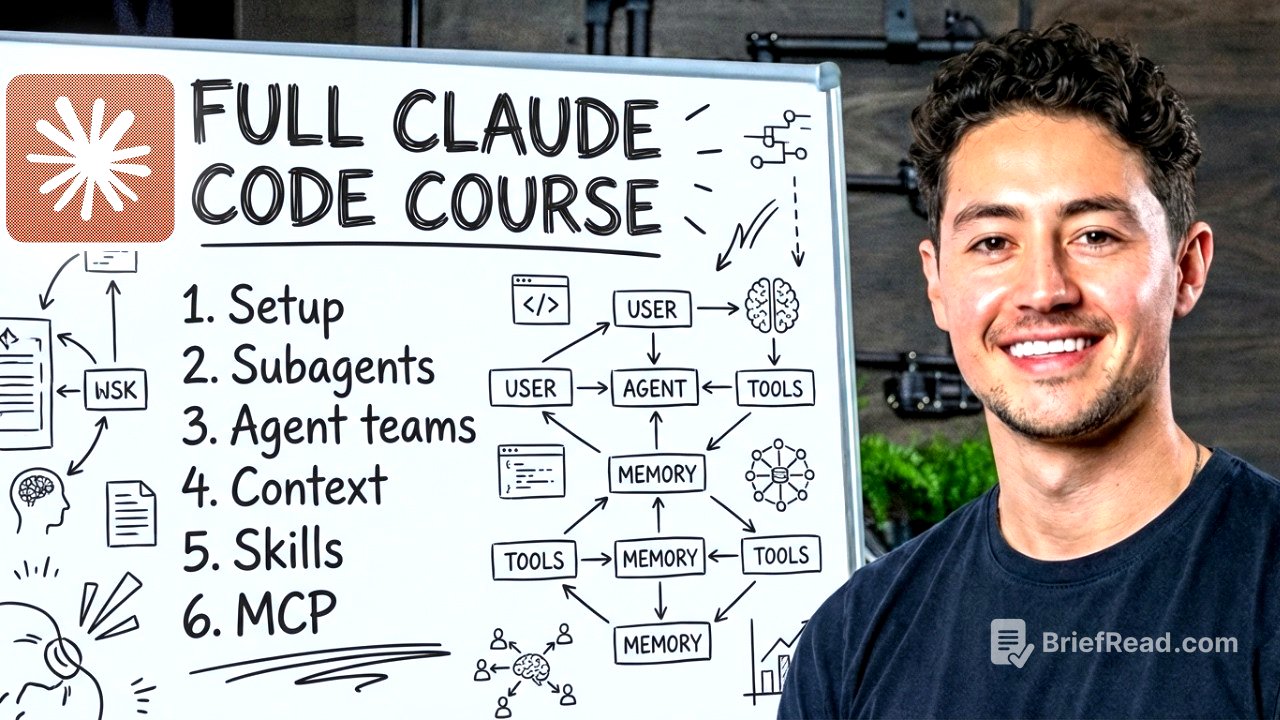
This video serves as a comprehensive guide to Claude Code, covering everything from basic setup to advanced functionalities like skills, sub-agents, and agent teams. It emphasizes practical application, demonstrating how to build web apps, manage projects, and automate workflows. The course also highlights the importance of context management, token efficiency, and security considerations when working with AI-driven tools.
- Setting up and understanding Claude Code, IDEs, and the project brain (cloud.md file).
- Building a web app, exploring Claude Code's directory structure, and using various modes.
- Managing context, creating skills, and understanding Model Context Protocol (MCP).
- Utilizing sub-agents and agent teams for scaling and automation.
- Deploying APIs with Modal and managing Git worktrees.
Introduction to Claude Code [0:00]
This course provides a comprehensive guide for beginners on using Claude Code, a tool designed to augment productivity in software engineering and various other aspects of life. The course focuses on practical building rather than theoretical knowledge, ensuring that users can apply what they learn to real-world projects. It covers a range of topics, including setting up Claude Code, understanding IDEs, managing project context, building web apps, and utilizing advanced features like sub-agents and plugins.
Learning the Basics of Claude Code [1:07]
To access Claude Code, a Pro plan subscription is required. The speaker highlights the significant productivity benefits Claude Code offers, estimating its value to be around $10,000 to $15,000 per month due to its ability to build systems that alleviate stress and act as a second brain. After subscribing, users can set up their account and begin using Claude Code, with the simplest method being through a terminal instance.
Setting Up Claude Code [3:44]
To install Claude Code, users can use a curl command in the terminal, as specified in the Claude Code documentation. The speaker guides viewers through opening a terminal on Mac OS and Windows, then copying and pasting the command to install Claude Code. After installation, users can type "Claude" in the terminal to open the chat interface and authenticate their account. The value of using Claude Code in the terminal is that it runs locally on the computer, allowing users to modify files, write scripts, and manage their PC directly.
Terminal vs. Graphical User Interface [8:05]
The speaker explains the different elements of the terminal interface, including the Claude Code widget, version number, model in use, plan, and current working directory. The interface also displays the previous command, text input area, and various modes such as bypass permissions. The speaker demonstrates how to interact with Claude Code by typing a message and observing the response, token count, and context percentage. The context percentage indicates the amount of conversation history in the current chat window, which is important for context management.
Understanding IDEs [12:23]
An integrated development environment (IDE) combines a file folder organizer, a text editor, and an AI chat widget, similar to ChatGPT. Two major IDEs are Visual Studio Code and Antigravity. Visual Studio Code is extensible, has great support, and is straightforward, while Antigravity is a more modern IDE with a greater focus on AI. The speaker will demonstrate how to set up Claude Code in both IDEs, starting with Visual Studio Code.
Exploring Visual Studio Code [13:53]
To set up Visual Studio Code, users need to download the application from the Visual Studio Code website. Once installed, Visual Studio Code acts as a file explorer, a file editor, and an agent manager. Users can open folders, edit text files, and access AI chat interfaces. To access Claude Code within Visual Studio Code, users must download the Claude Code extension developed by Anthropic. After installation, Claude Code can be accessed via the agent tab in the top right corner of the IDE.
Getting Started with Antigravity [19:11]
The speaker covers the interface, including past conversations, the Claude Code logo, and the chat window. The permission modes, such as "ask before edits," allow users to control how Claude Code makes changes to local files. The file currently being fed as context is displayed, and users can edit it in real time. The speaker demonstrates how to refactor code from dark mode to light mode, showcasing Claude Code's ability to plan and execute complex tasks.
Building Your First Web App with Claude Code [24:01]
The speaker transitions to Anti-Gravity, highlighting its similarities to Visual Studio Code and its integration with Google Gemini. The focus shifts to building a web app using Claude Code, emphasizing the tool's ability to design high-quality websites quickly. The speaker introduces godly.website as a source of design inspiration and outlines the steps to rebuild a website using Claude Code, including screenshotting the design and utilizing the CLAUDE.md file.
Utilizing the CLAUDE.md File (Project Brain) [30:29]
The CLAUDE.md file acts as the brain of the workspace, injecting a prompt at the beginning of every conversation to steer the AI's output. The speaker uses an analogy of a ship traveling a long distance to illustrate the importance of setting an accurate initial trajectory. The CLAUDE.md file helps compress the possible options the AI could take, ensuring a more focused and relevant output. The speaker emphasizes the value of making the CLAUDE.md file as high quality as possible to standardize conventions for different workspaces.
Approaches to Website Design in CC +Antigravity [34:40]
The speaker outlines three major approaches to designing websites using Claude Code: giving it a pre-existing design and using screenshot loops, using a massive voice transcript dump, and using components from services like 21st.dev. The first approach involves taking an inspiration website and using it to template design fundamentals, then changing the content with Claude Code. The second approach uses voice transcripts to spell out the website's content. The third approach uses pre-designed components that can be copied and pasted into Claude Code.
Importance of Verification in AI [41:47]
The speaker emphasizes the importance of verification in AI, highlighting that AI is not perfect the first time but its value lies in its speed. The process should involve a task, doing the task, and verifying the results. The speaker demonstrates how to screenshot a website, resize the image, and upload it to Claude Code along with CSS styles. Claude Code then analyzes the reference image and begins building a website recreation, iteratively improving the design through screenshot comparisons.
Advanced Claude Code Functionality [54:42]
The speaker transitions to demonstrating parallel website design by opening another anti-gravity instance. This allows for multiple versions of a website to be developed simultaneously. The speaker then instructs Claude Code to fetch content from leftclick.ai and insert it into the website, customizing the design with specific instructions. The speaker also uses a voice transcription tool to provide additional instructions, showcasing the hands-off nature of the design process.
Understanding the .claude Directory [55:13]
The .claude directory contains advanced features that augment Claude Code beyond its out-of-the-box capabilities. It includes settings.json for team permissions and hooks, settings.local.json for local settings, and subfolders for agents, skills, and rules. The rules subfolder allows users to break up their Claude MD into different rules files for code style, testing, security, and front-end development. The speaker demonstrates how to have Claude Code split the Claude MD into component rules.
Adjusting the Proposal Design [2:01:24]
The speaker expresses satisfaction with the website's output but requests adjustments to the logo size, font, and button functionality. The speaker uses a voice transcription tool to provide these instructions, demonstrating the hands-free nature of the design process. The speaker also addresses issues with profile pictures being cut off and requests that the AI center the testimonials and client review section.
Testing Payment Functionality [2:01:55]
The speaker tests the payment functionality of the website, verifying that it opens the Stripe sandbox. The speaker then provides instructions to remove the image logo, remove the noise background gradient, center the testimonials, and update the copyright year. The speaker emphasizes that with the right approach, users can build high-end websites in less than five minutes.
Leveraging GitHub for Project Management [2:05:20]
The speaker recommends using GitHub to store active projects, but notes that sensitive data like tokens and authentication keys should not be pushed to the cloud service. The speaker explains the convention of using ".local" files to keep sensitive information local and prevent it from being uploaded to GitHub. The speaker also discusses the organization of the .claude folder, including the agents, skills, and rules subfolders.
Setting Up the Project [2:06:12]
The speaker explains the concept of global settings, which are shared between all workspaces and supersede local settings. The speaker outlines the three layers of Claude MD: personal global, per project, and managed system level for enterprise licenses. The speaker demonstrates how to use the "/init" command to analyze the current code base and write a Claude MD that summarizes what the code base does.
The Power of Automation [2:07:50]
The speaker emphasizes the importance of context management, explaining that Claude MD helps reduce token usage and increase the average quality of Claude by providing high-level instructions. The speaker provides a quick do's and don'ts guide for Claude MD, including running "/init" first, using bullet points and short headings, and periodically reviewing and pruning the file. The speaker also advises against dumping entire style guides and API docs into the Claude MD.
Context Management Explained [2:13:53]
The speaker introduces the concept of auto memory, where Claude remembers information from one instance to another by writing it to a memory file. The speaker demonstrates how to use the "remember" command to save information and then retrieve it in a new Claude Code instance. The speaker also introduces the concept of agents, which are specialized entities that can perform specific tasks.
Understanding MCP Tools [2:19:56]
The speaker explains how to create agents with specific tools, models, and memory settings. The speaker recommends having a research sub-agent to keep the total number of tokens low in the parent agent and a reviewer agent to provide unbiased code reviews. The speaker also discusses QA agents for automated testing. The speaker then introduces skills, which are custom slash commands that automate day-to-day knowledge work.
Strategies for Token Management [2:27:23]
The speaker provides an example of a skill called "shop Amazon" that automates the process of browsing and purchasing items on Amazon. The speaker emphasizes that skills can turn Claude Code into a bunch of different specialized agents. The speaker also recommends using Twitter to find solid Claude Code tips and Claude MD configurations.
Creating Skills for Efficiency [2:35:29]
The speaker discusses the various permission modes available in Claude Code, including ask before edits, edit automatically, plan mode, and bypass permissions. The speaker explains the risks and benefits of each mode, recommending bypass permissions for knowledge work and intellectually valuable tasks. The speaker also demonstrates how to enable bypass permissions in Visual Studio Code.
The Structure of Skills [2:41:15]
The speaker details how plan mode works, emphasizing its value in researching and planning complex builds before execution. The speaker outlines the steps to build a proposal generation platform using plan mode, including creating a project spec, gathering information, and designing the user flow. The speaker also highlights the importance of test-driven development and verification loops in AI.
Building a New Skill [2:44:39]
The speaker provides a step-by-step guide on how to build a new skill, demonstrating the process of creating a website design skill. The speaker emphasizes the importance of providing clear instructions and examples to Claude Code. The speaker also discusses the benefits of parallelizing work by running multiple Claude Code instances simultaneously.
Introduction to Model Context Protocol [2:50:58]
The speaker explains how to use the "/context" command to check token usage and identify the sources of token consumption. The speaker outlines the different categories of token usage, including system prompt, system tools, MCP tools, memory files, and messages. The speaker also discusses the concept of auto memory and how Claude Code injects a memory file at the top of every session.
Evaluating Token Usage in MCPs [2:58:15]
The speaker provides a list of slash commands and their functions, including compact, cost, debug, and init. The speaker also discusses the importance of periodically reviewing and pruning the Claude MD to reduce technical debt. The speaker recommends using Twitter to find solid Claude Code tips and Claude MD configurations.
Gmail Label Insights [3:07:57]
The speaker demonstrates how to use the auto memory feature to save and retrieve personal information. The speaker also explains the concept of agents and how to create them with specific tools and instructions. The speaker recommends having a research sub-agent to keep the total number of tokens low in the parent agent and a reviewer agent to provide unbiased code reviews.
Exploring Claude Code Plugins [3:09:07]
The speaker discusses the various permission modes available in Claude Code, including ask before edits, edit automatically, plan mode, and bypass permissions. The speaker explains the risks and benefits of each mode, recommending bypass permissions for knowledge work and intellectually valuable tasks. The speaker also demonstrates how to enable bypass permissions in Visual Studio Code.
Introduction to Sub-Agents [3:11:08]
The speaker details how plan mode works, emphasizing its value in researching and planning complex builds before execution. The speaker outlines the steps to build a proposal generation platform using plan mode, including creating a project spec, gathering information, and designing the user flow. The speaker also highlights the importance of test-driven development and verification loops in AI.
Transforming Skills into Sub-Agents [3:12:15]
The speaker transitions to demonstrating parallel website design by opening another anti-gravity instance. This allows for multiple versions of a website to be developed simultaneously. The speaker then instructs Claude Code to fetch content from leftclick.ai and insert it into the website, customizing the design with specific instructions. The speaker also uses a voice transcription tool to provide additional instructions, showcasing the hands-off nature of the design process.
Scaling Email Classification [3:14:14]
The speaker explains the concept of global settings, which are shared between all workspaces and supersede local settings. The speaker outlines the three layers of Claude MD: personal global, per project, and managed system level for enterprise licenses. The speaker demonstrates how to use the "/init" command to analyze the current code base and write a Claude MD that summarizes what the code base does.
Creating Useful Sub-Agents [3:18:54]
The speaker emphasizes the importance of context management, explaining that Claude MD helps reduce token usage and increase the average quality of Claude by providing high-level instructions. The speaker provides a quick do's and don'ts guide for Claude MD, including running "/init" first, using bullet points and short headings, and periodically reviewing and pruning the file. The speaker also advises against dumping entire style guides and API docs into the Claude MD.
Understanding Agent Teams [3:26:27]
The speaker introduces the concept of auto memory, where Claude remembers information from one instance to another by writing it to a memory file. The speaker demonstrates how to use the "remember" command to save information and then retrieve it in a new Claude Code instance. The speaker also introduces the concept of agents, which are specialized entities that can perform specific tasks.
Enabling and Using Agent Teams [3:32:59]
The speaker explains how to create agents with specific tools, models, and memory settings. The speaker recommends having a research sub-agent to keep the total number of tokens low in the parent agent and a reviewer agent to provide unbiased code reviews. The speaker also discusses QA agents for automated testing. The speaker then introduces skills, which are custom slash commands that automate day-to-day knowledge work.
Utilizing Git Worktrees [4:02:34]
The speaker provides an example of a skill called "shop Amazon" that automates the process of browsing and purchasing items on Amazon. The speaker emphasizes that skills can turn Claude Code into a bunch of different specialized agents. The speaker also recommends using Twitter to find solid Claude Code tips and Claude MD configurations.
Deploying APIs with Modal [4:03:08]
The speaker discusses the various permission modes available in Claude Code, including ask before edits, edit automatically, plan mode, and bypass permissions. The speaker explains the risks and benefits of each mode, recommending bypass permissions for knowledge work and intellectually valuable tasks. The speaker also demonstrates how to enable bypass permissions in Visual Studio Code.