TLDR;
This video serves as a comprehensive guide to Facebook advertising in the current landscape, especially after the Apple privacy updates. It covers everything from setting up a business manager and ad account to creating effective ad creatives and analysing data. The key takeaway is that Facebook advertising has become simpler, with a focus on broad targeting and high-quality creatives.
- Setting up Facebook Business Manager and Ad Account correctly is crucial for avoiding bans and maintaining control.
- The focus has shifted towards broad audience targeting and the quality of ad creatives.
- Monitoring ad performance and using a profit calculator are essential for profitability.
Introduction to Facebook Ads [0:00]
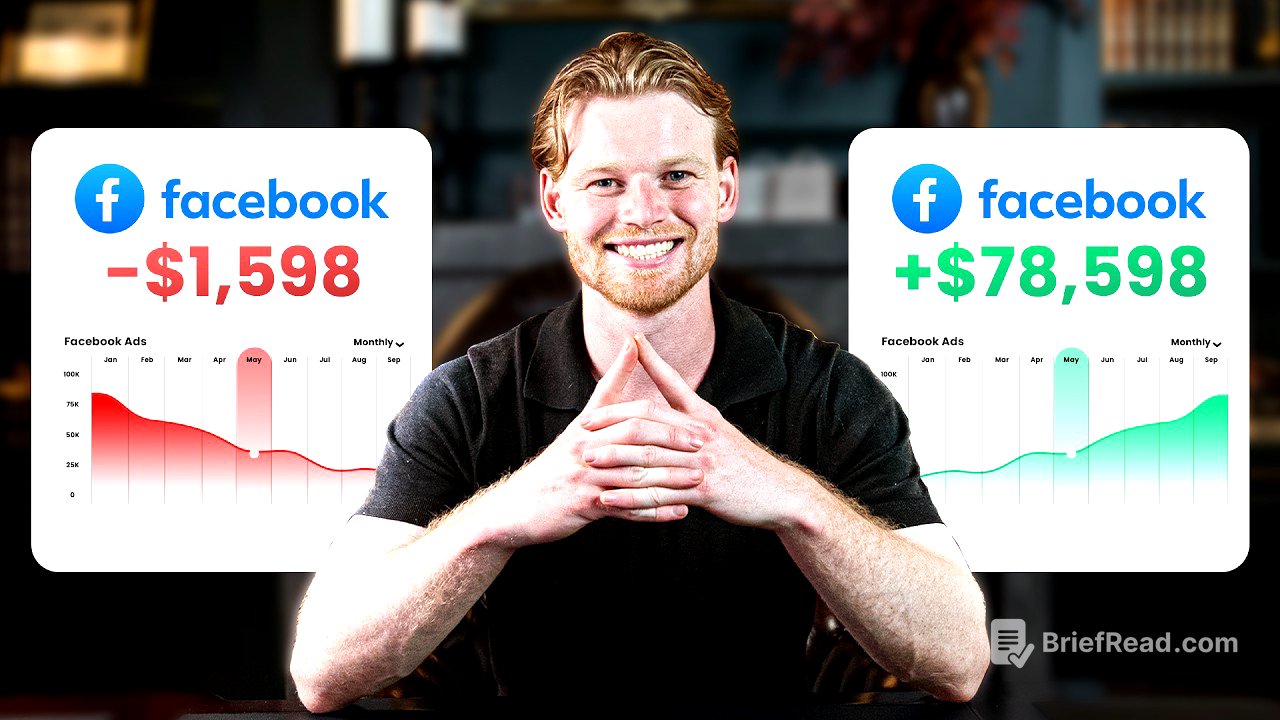
Davie Fogarty introduces himself and his experience with Facebook ads, highlighting his success with Calming Blankets and over $100 million spent on Facebook ads. He emphasises that the tutorial is updated to reflect changes after Apple's privacy updates, making previous videos outdated. He also mentions a free Shopify course available by commenting "Facebook ads" below.
Who Should Use Facebook Ads [1:11]
Facebook ads are suitable for most businesses, especially e-commerce, marketing agencies, app businesses, and lead generation. They're also effective for small businesses targeting local customers. Facebook's ownership of Instagram and WhatsApp, along with over 3 billion monthly active users, allows for targeting any ideal customer. The platform's ability to rapidly test ad creatives at low budgets is a significant advantage. Facebook advertising works like a machine, where the goal is to put $1 in and get $2 out by using the correct settings and creatives.
Setting Up Your Facebook Business Manager [2:41]
To set up Facebook advertising, you need to create a business manager, a Facebook and Instagram page, verify your domain, create a Facebook pixel, add a payment method, and create an ad account. Start by going to business.facebook.com to set up your business manager, which is essential for better control and fewer bans. Use a Facebook account that's at least 6 months old and ensure the name matches your passport or business registration. In the business manager, accurately fill out business information, including legal name, address, and phone number, to signal trustworthiness to Facebook. Add users with different access levels and enable two-factor authentication to prevent hacking.
Connecting Pages and Ad Accounts [4:53]
Add existing Facebook pages or create new ones for your brand. Similarly, connect your Instagram account by logging in through the prompted browser window. When creating a new Facebook page, warm it up with posts and an appropriate profile picture. To create an ad account, go to "Add Accounts" and then "Create New Account." Name the ad account for organisational purposes, such as for each business, product, or region. Select the correct time zone and currency for reporting and billing. Assign yourself to manage the ad account and add payment information, ensuring the currency is correct as it cannot be changed later. Avoid using PayPal due to increased risk of bans and missed credit card rewards.
Domain Verification and Facebook Pixel Setup [7:53]
Verify your domain by going to "Brand Safety" and adding your website. Copy and paste the provided meta tag into the <head> section of your website. For the Facebook pixel, now called "Data Sets," create a new data set and name it after your Shopify store or agency. If you're using Shopify, link your ad account and pixel by adding Facebook as a channel in Shopify, logging in, and selecting the appropriate settings. This allows Facebook to track page views, add to carts, and purchases effectively.
Setting Up Your First Advertising Campaign [9:55]
To set up your first advertising campaign, navigate to your ad account and open the Ads Manager. The structure consists of campaigns, ad sets, and ads. Start by creating a new campaign and selecting the "Sales" objective for e-commerce. Choose a manual sales campaign rather than an Advantage Plus campaign to retain control over settings. Label your campaign (e.g., "Advantage Plus USA") and turn off the catalog option. The Advantage campaign budget is crucial; the old method of separate top, middle, and bottom-of-funnel targeting is outdated. The Advantage Plus setting targets everyone across all stages, simplifying the process. Set a daily budget (e.g., $20) and proceed to the ad set level.
Configuring the Ad Set [14:26]
At the ad set level, ensure the conversion is set to "Website" and the performance goal is "Maximize value of conversions." Select the correct pixel linked with Shopify and set the conversion event to "Purchase." In the audience controls, set the target region (e.g., United States). Broad targeting is recommended due to iOS privacy updates, giving Facebook more flexibility to find the right customers. Leave age, gender, and interest targeting blank for a broad audience. More advanced users can add exclusions, such as previous purchasers, by uploading customer lists from their email software.
Creating Effective Ad Creatives [17:32]
The ad creative is the most critical part of Facebook advertising. Ad types include images, videos, dynamic product ads, carousels, and collections, but images and videos will consume most of your budget. Formats include user-generated content (UGC), unboxing videos, humour/memes, influencer photos, customer photos, and graphics. Good ads explain the unique selling proposition, educate or entertain, have a great offer and urgency, and are visually appealing. Find ad examples on app.trendrocker.com by searching for your brand or niche. Use negative reviews to identify customer objections and address them in your ads. Start with three to five ads, including at least two video ads and two image ads.
Setting Up Your First Ad [22:08]
In the Ads Manager, go to the ad level and create your first ad. Label it clearly (e.g., "Ad 1") and select the correct Facebook and Instagram pages. Choose manual upload and single image or video. Upload your media and input the ad text, ensuring it educates, explains the unique selling proposition, has an offer and urgency, and is not boring. Use ChatGPT to generate headlines and body text. Add your website URL and publish the ad. Be mindful of language to avoid disapproval. Duplicate the ad to create additional creatives, varying the video and text.
Budgeting and Testing Frameworks [24:25]
For budgeting, start with a daily budget on the campaign level of 10-30% of your product's sale price. Spend at least two times your average order value before making decisions on creative performance. If you have three to five working creatives, introduce new ones to the existing campaign structure. If spending small amounts, introduce one creative at a time. Ensure new creatives are different to avoid cannibalisation. Let each creative spend two times the average order value; if there are no sales, turn it off and introduce another.
Customising Columns to Read Results [27:10]
Customise your table in Ads Manager to read results effectively. Select an appropriate time frame and click "Customise Columns." Delete the defaults and add the following: Delivery, Attributing Settings, Date Created, Bid Strategy, Budget Amount, Spent, Purchases (Total and Cost), ROAS, Add to Cart (Total and Cost), Outbound Clicks, Outbound Click-Through Rate, Cost per Outbound Click, CPM, Reach, Impressions, and Video Average Play Time. Create custom metrics for Conversion Rate (Purchases / Outbound Clicks) and Average Order Value (Purchase Conversion Value / Purchases). Save this as a preset for future use.
Understanding Return on Ad Spend (ROAS) [30:10]
Return on ad spend (ROAS) is the revenue generated for every dollar spent on ads. Your target ROAS depends on your business and product margins. Use the profit calculator in Davie's free Shopify course to determine your target ROAS. Input your product's sale price and costs to calculate the required ROAS for profitability. Manipulate the columns in Ads Manager to achieve your target ROAS. Use Triple Whale's free plan to track your advertising platforms and daily profit, as Facebook's ROAS can be inaccurate due to privacy updates.
Daily Maintenance and Growth [33:28]
Daily tasks for a Facebook media buyer include checking overall performance, determining whether to increase the Advantage Plus campaign budget (by 10-30% daily), turning off underperforming ads, introducing one to three new creatives, and researching new creative ideas on Trend Rocker or advertising libraries. If you're still not getting results, assess your product and website.